AIOps Alerts use intelligent monitoring to detect anomalies and threshold breaches on network devices. These alerts help identify performance degradation and abnormal behavior using predefined metrics such as CPU, memory, bandwidth, and system status.
Navigate to Settings > Configurations > Alert > AIOps Alerts
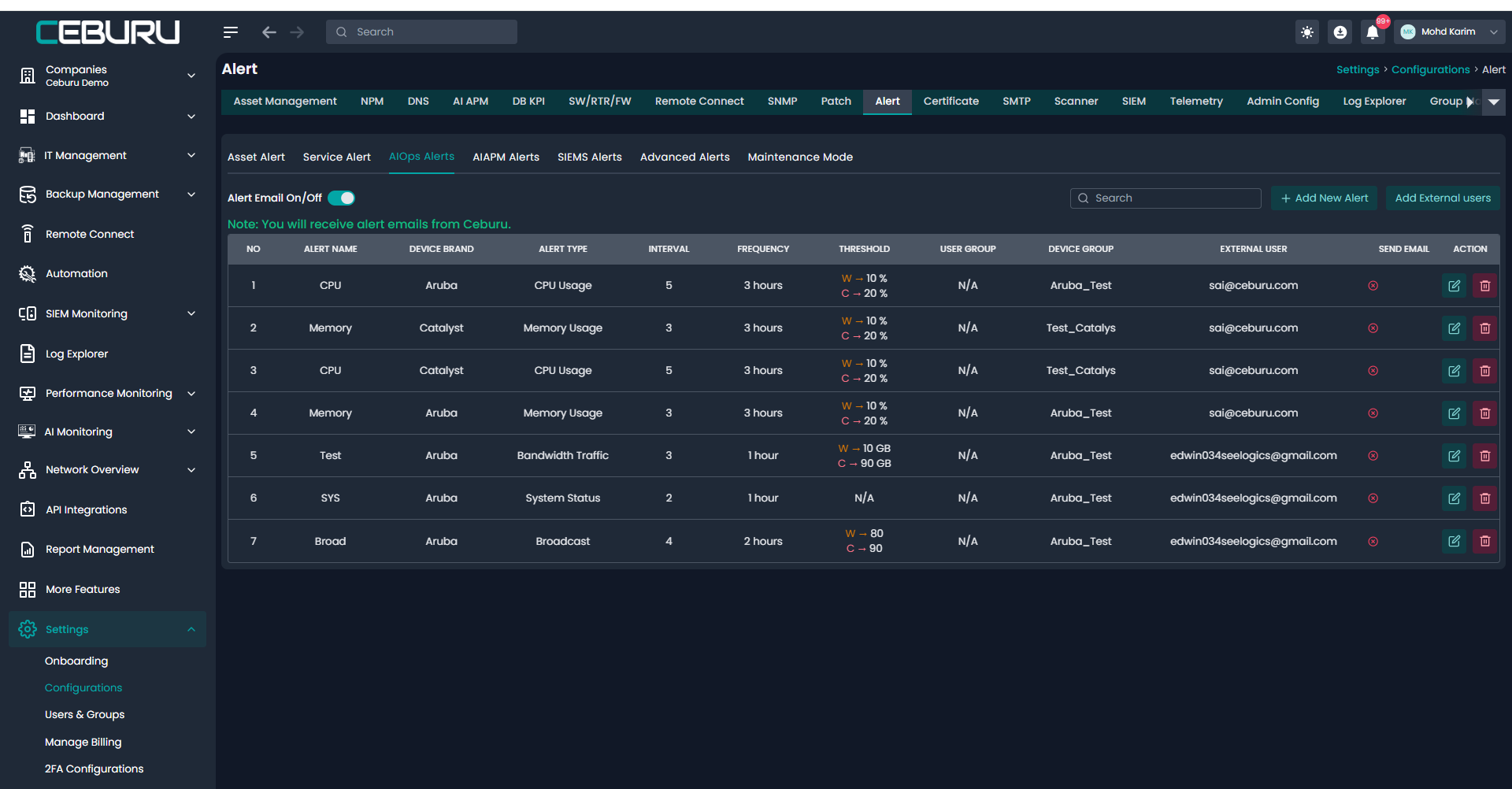
AIOps Alerts Fields and Description
| Field Name | Description |
|---|---|
| Alert Name | Name of the AIOps alert. Used to identify the alert in the list and reports |
| Device Brand | Vendor of the monitored device such as Aruba or Catalyst |
| Alert Type | Metric being monitored such as CPU Usage, Memory Usage, Bandwidth Traffic, System Status, or Broadcast |
| Interval (Minutes) | Time interval in minutes at which the system evaluates the alert condition |
| Frequency | Minimum time gap between repeated alert notifications once the alert is triggered |
| Warning Threshold | Lower severity threshold. When crossed, a warning alert is generated |
| Critical Threshold | Higher severity threshold. When crossed, a critical alert is generated |
| User Group | Internal user group assigned to receive the alert |
| Device Group | Group of devices on which the alert is applied |
| External User | External email recipients who will receive alert notifications |
| Send Email | Enables or disables email notification for this alert |
| Action | Allows editing or deleting the alert |
Supported AIOps Alert Types
| Alert Type | Description | Threshold Unit |
|---|---|---|
| CPU Usage | Monitors CPU utilization of the device | Percentage |
| Memory Usage | Monitors memory consumption of the device | Percentage |
| Bandwidth Traffic | Monitors inbound or outbound traffic usage | GB |
| System Status | Monitors device availability or health status | Status based |
| Broadcast | Monitors broadcast traffic levels | Numeric value |
Threshold Behavior
| Severity | Condition | Action |
|---|---|---|
| Warning | Metric exceeds warning threshold | Warning alert is generated |
| Critical | Metric exceeds critical threshold | Critical alert is generated and prioritized |
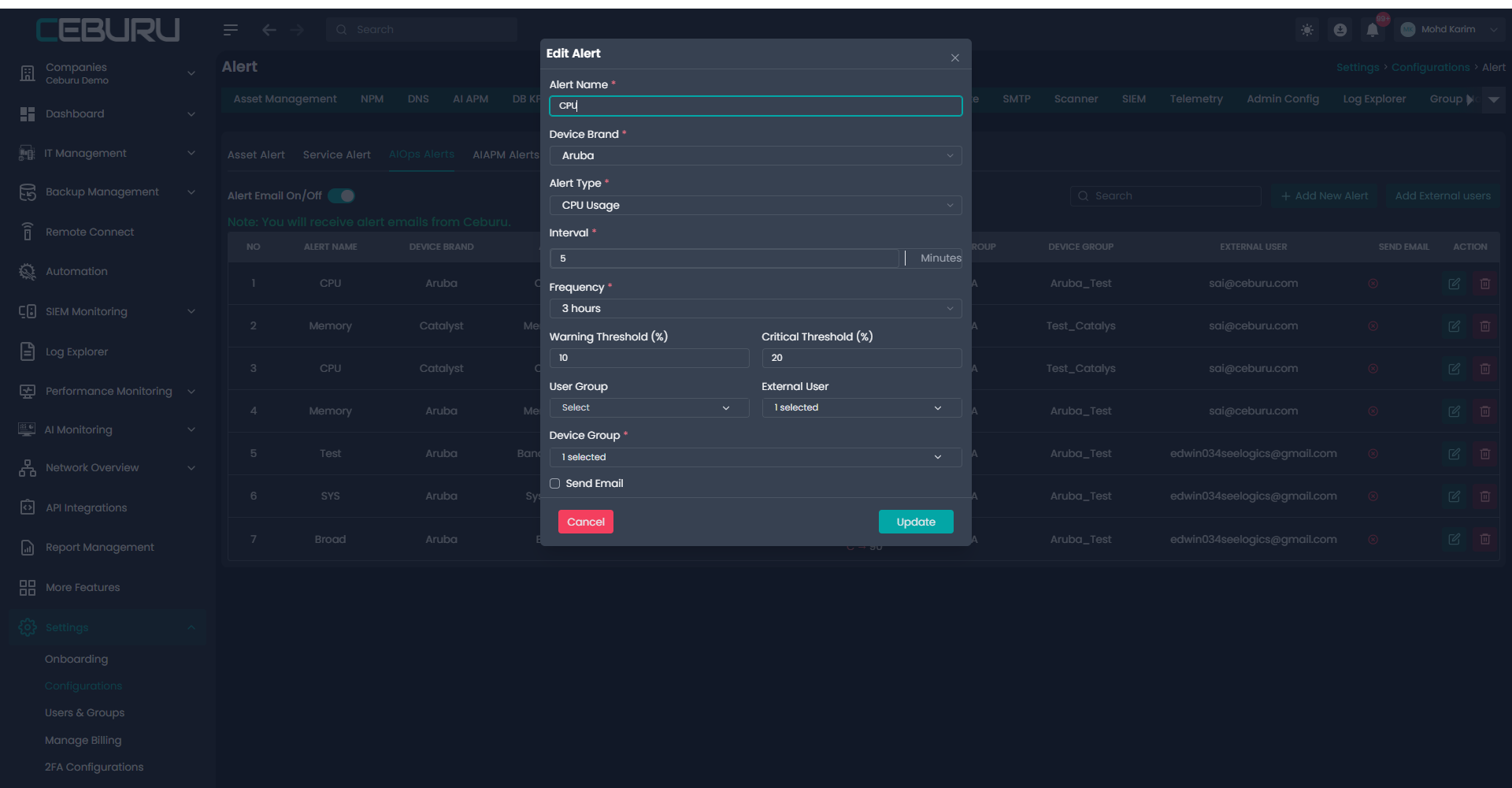
Click the edit icon in the Action column
Update required fields such as thresholds, interval, or device group
Click Update to save changes
Was this article helpful?
That’s Great!
Thank you for your feedback
Sorry! We couldn't be helpful
Thank you for your feedback
Feedback sent
We appreciate your effort and will try to fix the article