Ceburu ServiceNow Service Graph Connector Setup
Status: Current setup guide for the Service Graph connector. This connector is for CMDB inventory, topology context, and current health data. It does not collect alarms.
Walkthrough video: Service Graph Connector setup
What this connector does
The Ceburu ServiceNow Service Graph connector makes customer-scoped Ceburu infrastructure available to ServiceNow for CMDB synchronization.
Ceburu inventory and health
        ↓ HTTPS GET + Bearer API key
 ServiceNow Service Graph connector / ETL
        ↓ identification and reconciliation
 ServiceNow CMDB CIs and relationships
Use it to collect networks, discovered assets, the latest health snapshot, AIOps devices, device specifications, and interfaces. Use the separate EM Events connector for alarms.
Before you begin
Confirm that you have:
- Ceburu access that permits API-key management.
- The correct customer selected in the Ceburu portal.
- The customer’s Ceburu API base URL, such as
https://<ceburu-host>. - A ServiceNow connector/ETL target and an encrypted credential record.
- Approved CMDB class, identification, reconciliation, and relationship rules.
- Network access from the ServiceNow instance or MID Server to the Ceburu API.
Generate a dedicated key for each connector instance. Do not reuse an EM Events key or a normal Ceburu user credential.
Generate the Service Graph API key
1. Open Manage API Keys
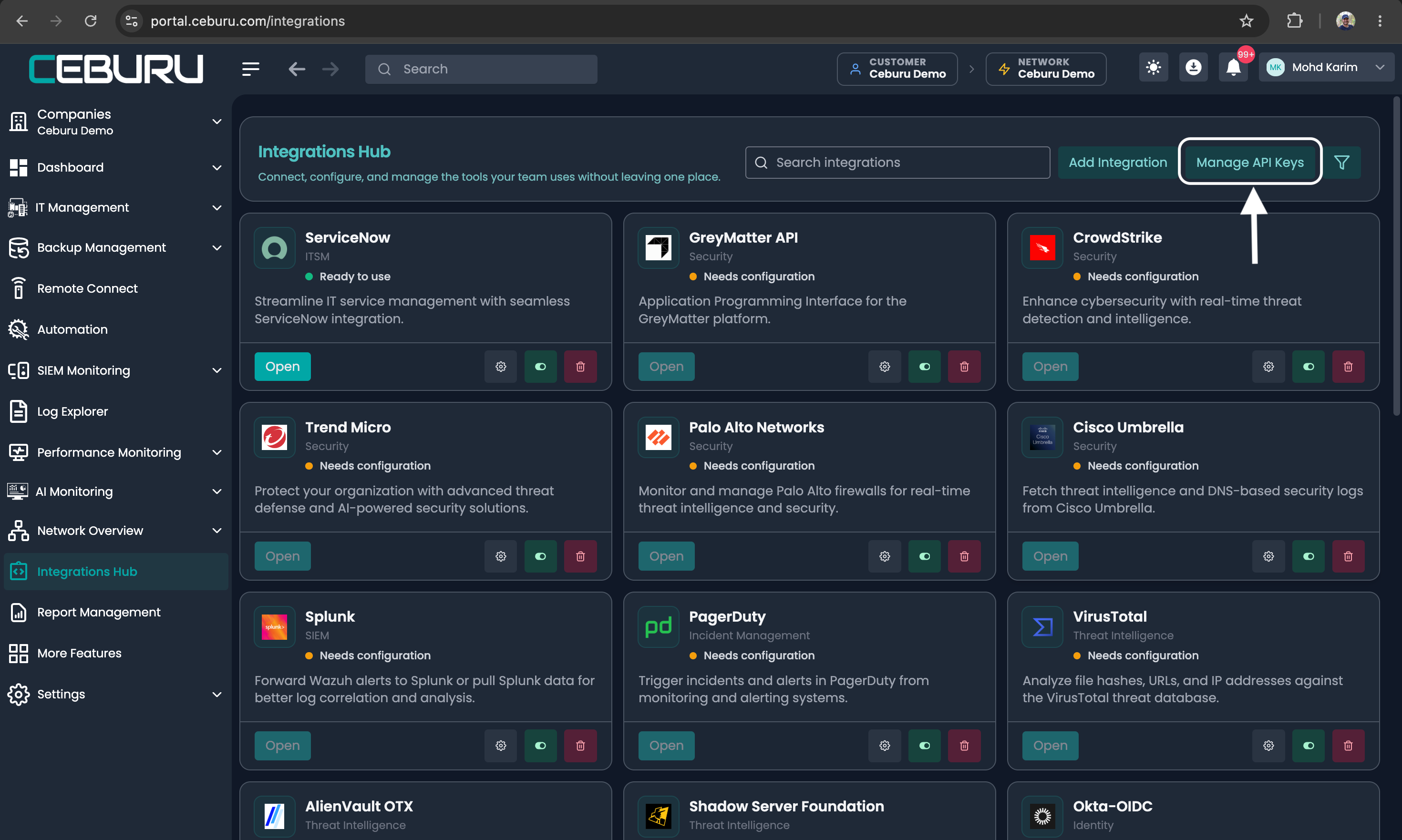
In Ceburu, select the intended customer, open Integrations Hub, and select Manage API Keys.
Integrations Hub with Manage API Keys highlighted
2. Start key generation
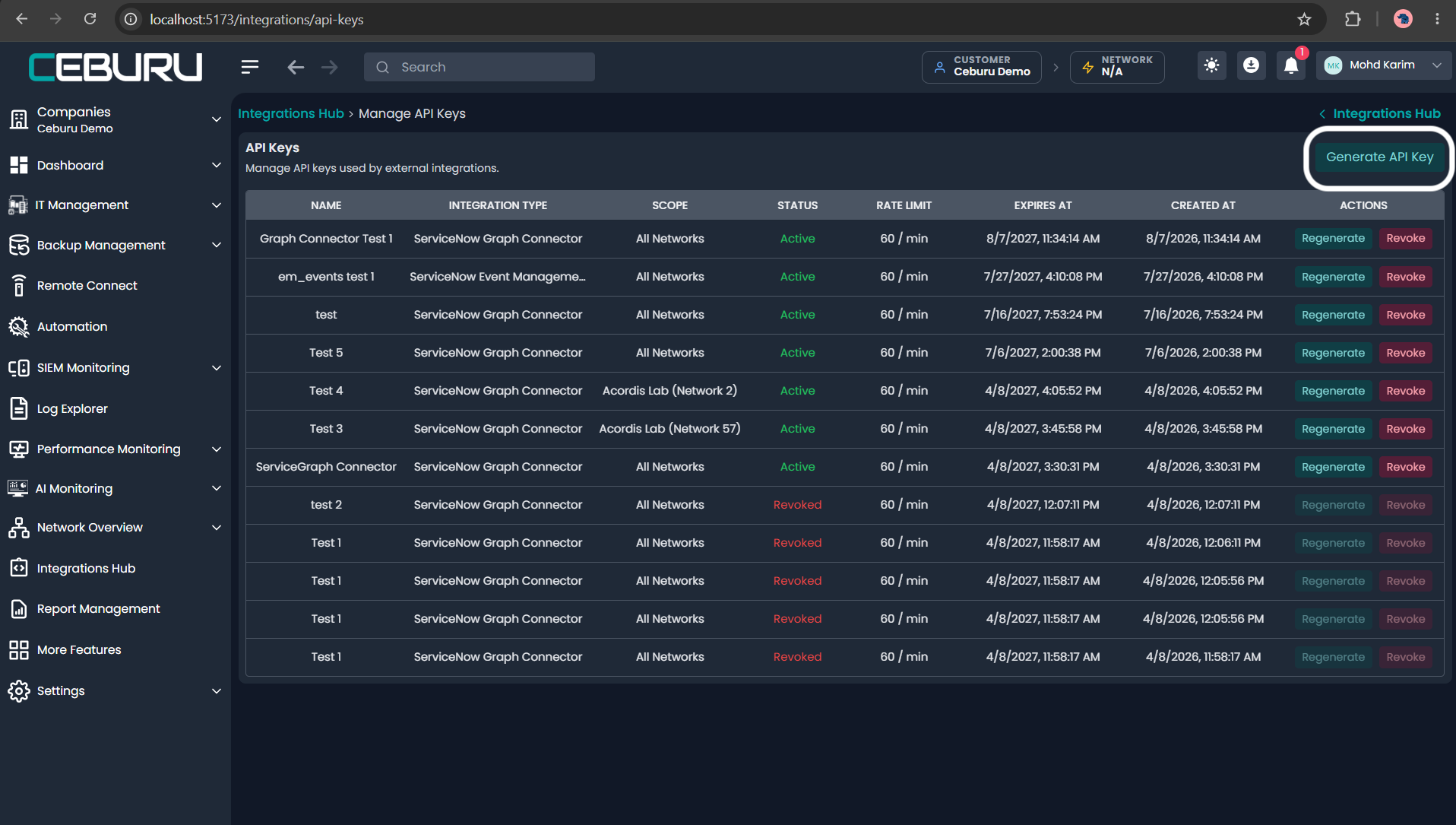
On the API Keys page, select Generate API Key.
Manage API Keys with Generate API Key highlighted
3. Select the connector type
Open Integration Type and select ServiceNow Graph Connector.
Integration Type menu showing the two connector choices
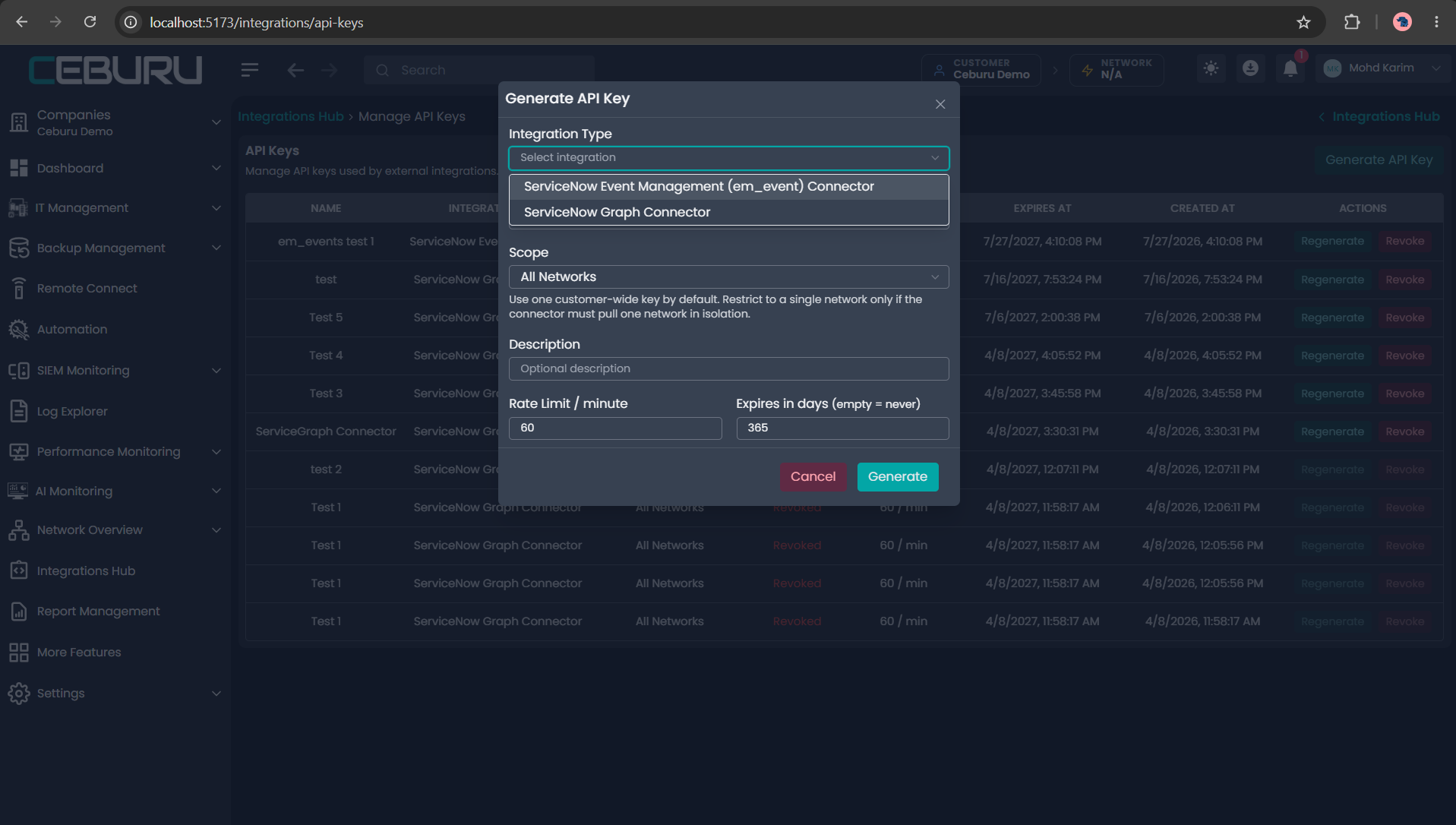
The selection automatically assigns the four Service Graph endpoint permissions. Administrators do not enter endpoint paths manually.
ServiceNow Graph Connector selected in the key form
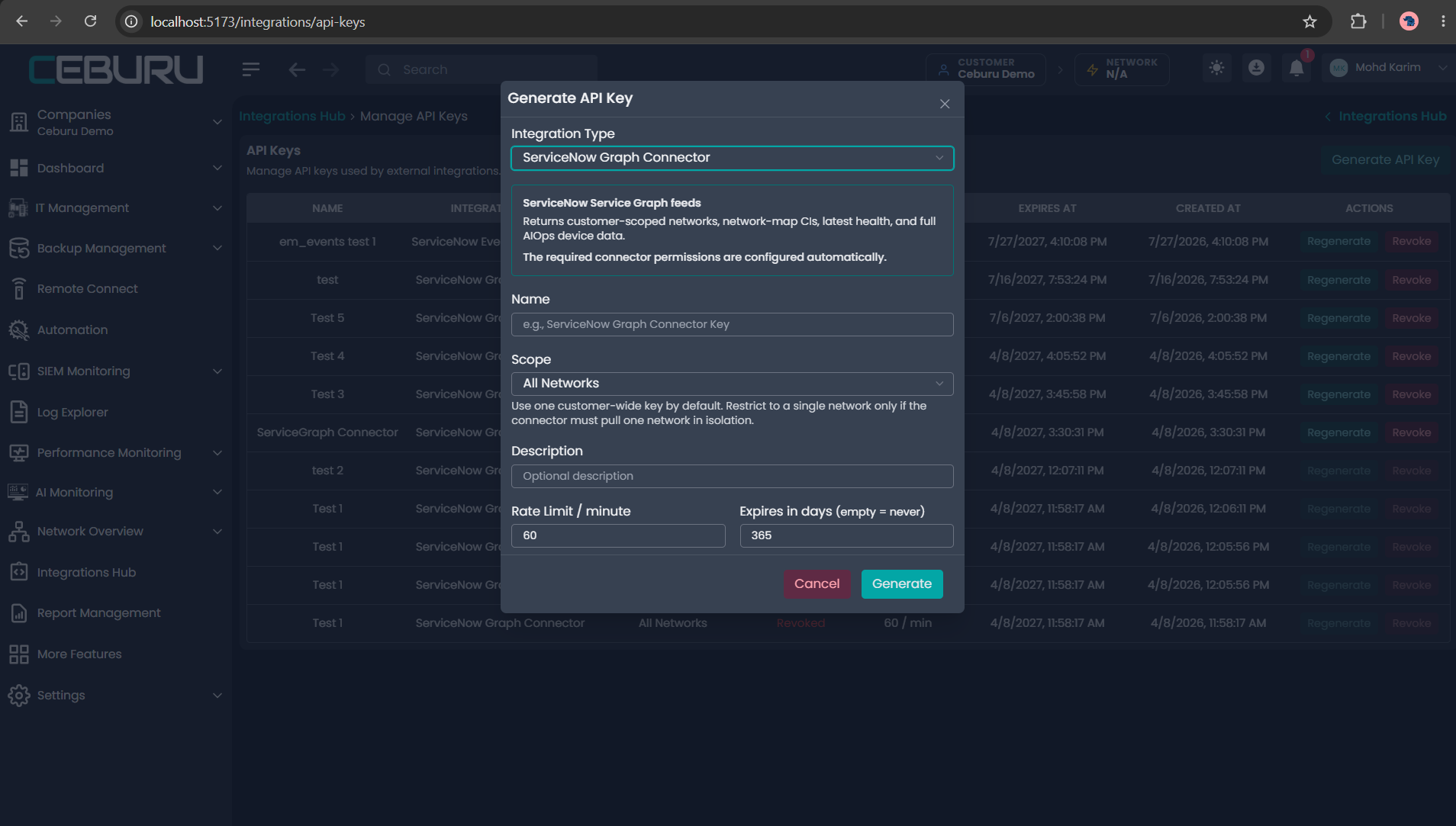
4. Complete the key settings
| Field | Recommended value | Guidance |
|---|---|---|
| Integration Type | ServiceNow Graph Connector | Required; determines the endpoint allowlist |
| Name | Production ServiceNow Graph | Use a name that identifies environment and owner |
| Scope | All Networks | Recommended when one connector represents the whole customer |
| Scope | One named network | Use only when that connector must be isolated to one network |
| Description | Connector purpose or ServiceNow instance | Optional but recommended for operations |
| Rate Limit / minute | 60 | Current UI default; raise only when the collection schedule and page count justify it |
| Expires in days | 365 or customer policy | Current UI default is 365; an empty value means no automatic expiration |
Annotated API key form fields
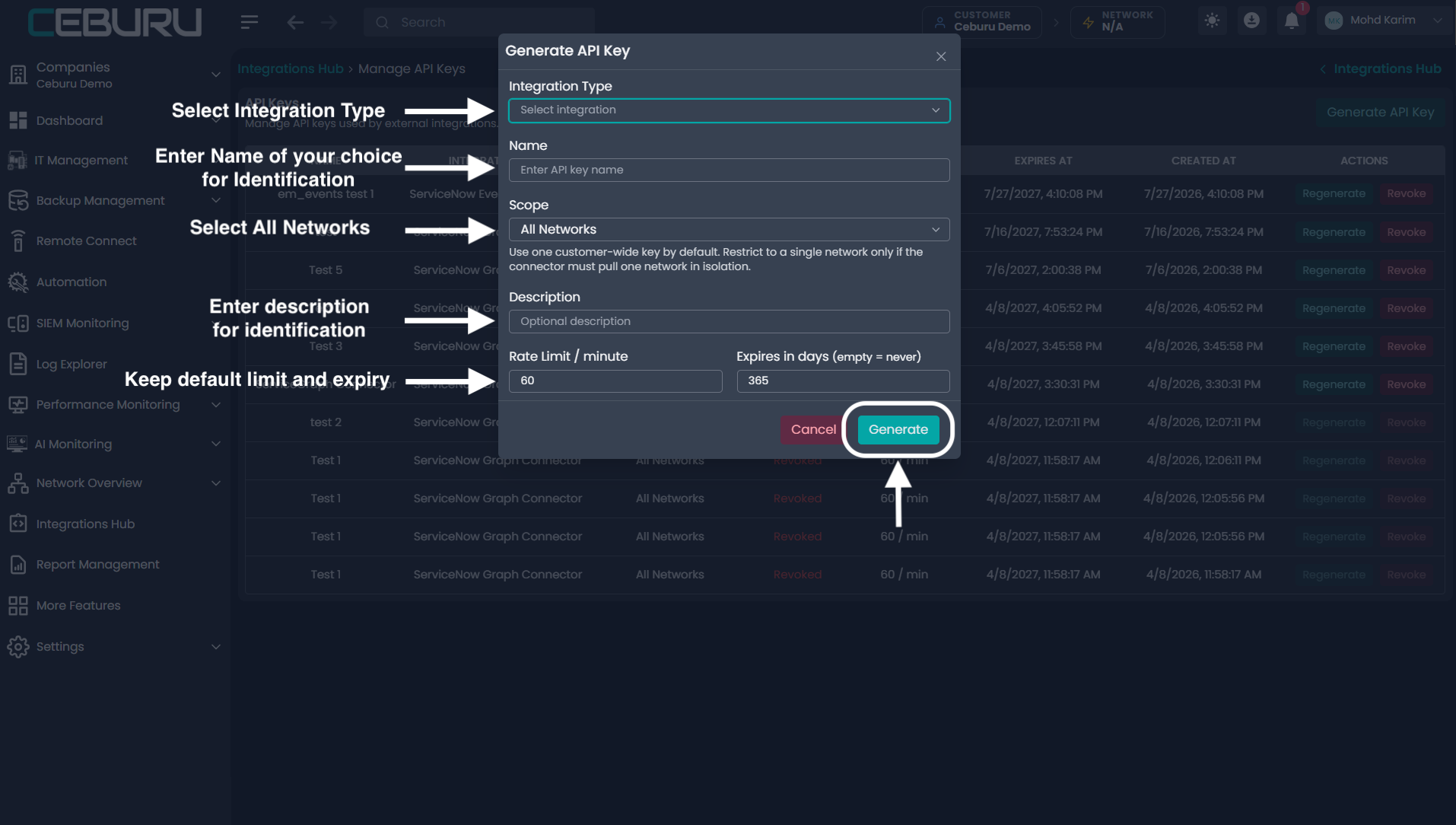
Select Generate.
5. Copy and protect the raw key
The raw key appears once. Select Copy & Close, then place the value immediately in the approved encrypted ServiceNow credential or secret store.
One-time API key notice after successful generation
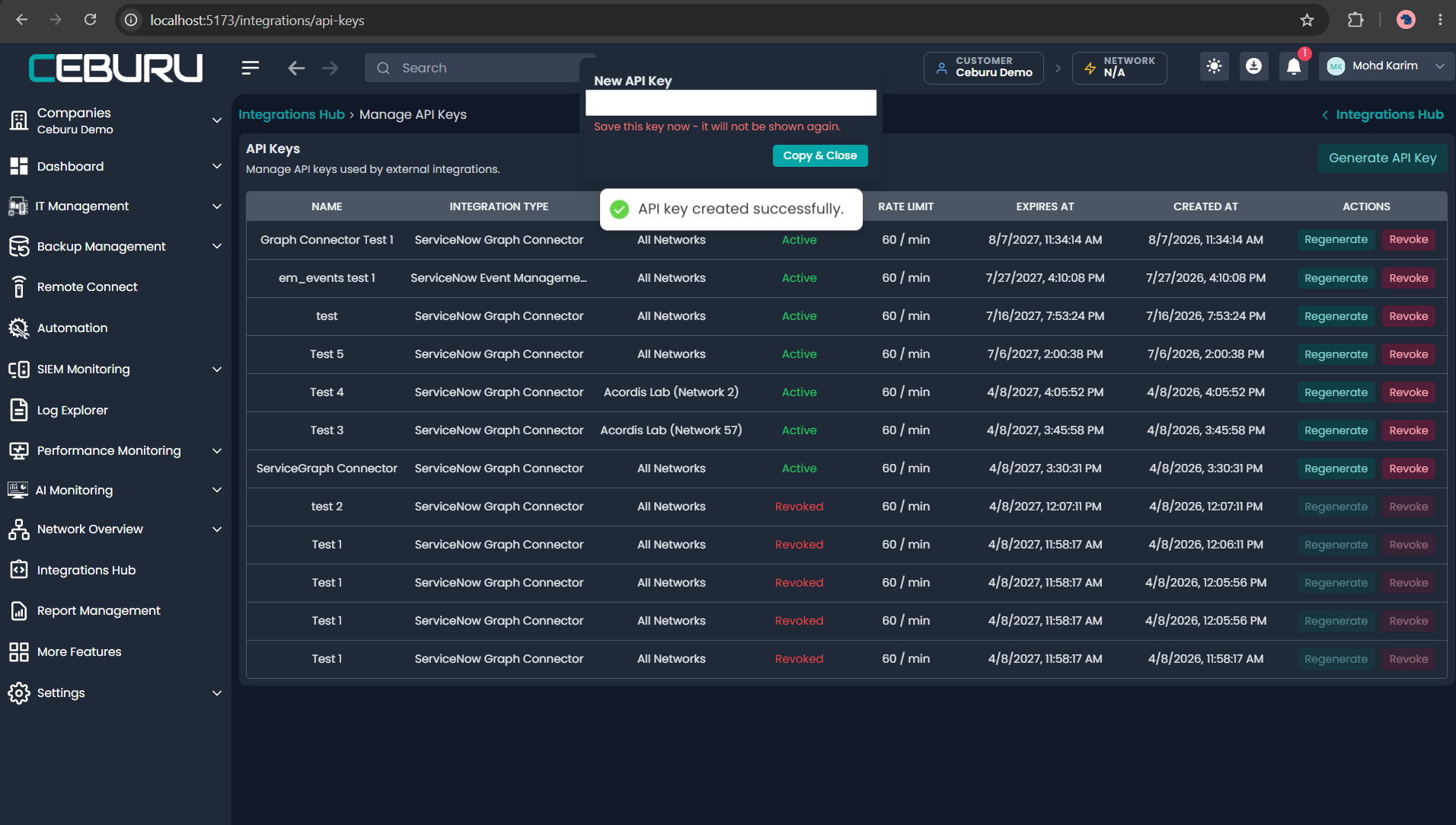
Screenshot 6 — The raw key cannot be displayed again after this notice closes.
Do not place the key in screenshots, tickets, source control, query parameters, application logs, or ServiceNow ECC Queue payloads.
Configure the ServiceNow connector
In the ServiceNow connector or ETL configuration:
- Set the Ceburu base URL.
- Reference the encrypted API-key credential.
- Select a MID Server when direct outbound access is unavailable or prohibited.
- Use the networks endpoint as the connection test.
- Configure the collection schedule and page size. The API default is 50 and the maximum page size is 200.
- Map Ceburu source identifiers to the approved CMDB classes and reconciliation source.
- Run an initial collection in a non-production scope when available.
- Confirm that a second collection updates existing CIs instead of creating duplicates.
Service Graph API contract
All Service Graph feeds use HTTP GET and the same servicenow_graph_connector key.
| Order | Feed | Endpoint | Response collection | Use |
|---|---|---|---|---|
| 1 | Scope and networks | /integrations/servicegraph/networks/ | networks | Discover key scope, monitoring mode, networks, and subnet context |
| 2 | Network-map inventory | /integrations/network-map/by-customer/ | results | Collect discovered hosts/assets and network identity |
| 3 | Latest health | /integrations/network-map/latest-health/by-customer/ | results | Add the latest availability, latency, jitter, packet-loss, Agent, and Proxy state |
| 4 | Full AIOps devices | /integrations/aiops/devices/full/by-customer/ | results | Collect devices with nested specifications and interfaces |
These four endpoints belong to the Graph connector. The alarms endpoint does not.
Supported query parameters
| Parameter | Default | Maximum | Meaning |
|---|---|---|---|
limit | 50 | 200 | Records returned in the current page |
offset | 0 | — | Number of records already skipped |
network_id | None | — | Optional restriction within the key’s allowed customer/network scope |
Always follow the complete next URL returned by the API and send the same Authorization header. Do not advance reconciliation or retire stale CIs unless every page of every required feed succeeds.
Monitoring scope behavior
monitoring_scope | Connector behavior |
|---|---|
network | Collect networks, network-map inventory, latest health, and full devices |
device | Accept an empty networks collection, use top-level subnet_cidr, skip network-map/health when no network exists, and collect full devices at customer scope |
both | Collect every feed; full devices may include network-associated and customer-only devices |
CMDB identity and relationship guidance
Use stable, customer-qualified source identifiers. Never identify a CI using changing health, severity, or description values.
| Ceburu record | Preferred correlation inputs | Typical ServiceNow treatment |
|---|---|---|
| Network | network.id, customer_id, CIDR | Network/subnet CI or discovery scope |
| Network-map asset | netmap.id, netmap.uuid, management IP, MAC, customer/network context | Server, computer, router, switch, appliance, or approved class |
| AIOps device | device.id, serial number, management IP, MAC, customer_id, ceburu_network_id | Device, server, or network-gear CI |
| Specification | Parent device ID plus source record ID | Parent attributes or related source-detail record |
| Interface | Parent device ID plus interface ID or parent-scoped interface name | Interface/network-adapter child CI |
| Latest health | networkmap.id = netmap.id | Operational attributes or a related health record; never CI identity |
Create or update parent CIs before child specifications and interfaces. Create relationships only after both endpoint CIs exist. If network-map and AIOps feeds describe the same physical device, define one explicit correlation rule to prevent duplicates.
Credential lifecycle
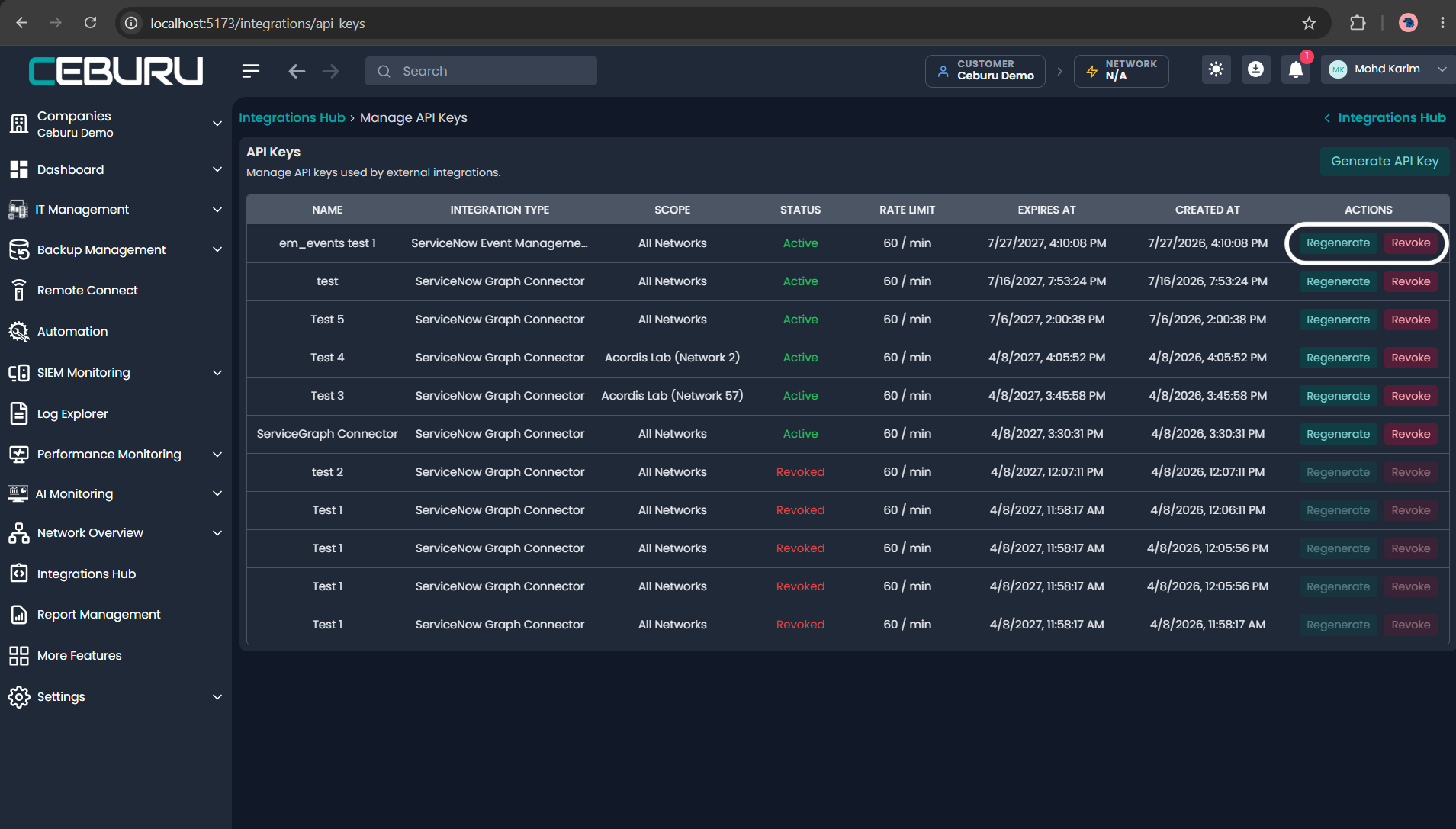
Use Regenerate to replace a key. Regeneration immediately invalidates the old raw value while retaining connector type, scope, endpoint permissions, rate limit, and expiration. Update ServiceNow and test the new key before relying on the next scheduled run.
Use Revoke when a connector is retired or a key is exposed. Revocation immediately stops authentication but does not remove CIs already imported into ServiceNow.
Regenerate and Revoke actions for API keys
Troubleshooting
| HTTP status | Meaning | Action |
|---|---|---|
200 | Request succeeded | Process the page and follow next |
400 | Invalid query value | Correct the request parameters |
401 | Missing, invalid, revoked, regenerated, or expired key | Correct or replace the credential |
403 | Wrong connector type, endpoint, customer, or network scope | Use a Graph key and the allowed scope |
429 | Per-key rate limit exceeded | Stop immediate retries and retry with backoff |
500–599 | Ceburu/server collection failure | Retry safely; do not retire existing CIs or advance successful-run state |
Production acceptance checklist
- The key type is ServiceNow Graph Connector.
- Customer-wide or network-restricted scope matches the design.
- The raw key is stored only in an encrypted credential.
- The four documented Graph endpoints return HTTP
200as applicable. - The EM Events endpoint returns
403when tested with this key. - Pagination follows each server-supplied
nextURL. - A repeated import updates CIs without duplicates.
- Device/interface relationships are correct.
- A failed collection does not retire valid CIs.
- Rotation, expiration monitoring, and revocation ownership are documented.
Was this article helpful?
That’s Great!
Thank you for your feedback
Sorry! We couldn't be helpful
Thank you for your feedback
Feedback sent
We appreciate your effort and will try to fix the article