The DDI Reports module allows to generate, view, and export detailed DHCP and IPAM reports. These reports help analyze IP utilization, scope usage, subnet distribution, and IP assignment details across one or more DHCP servers.
DDI Reports are accessible from DDI → Reports
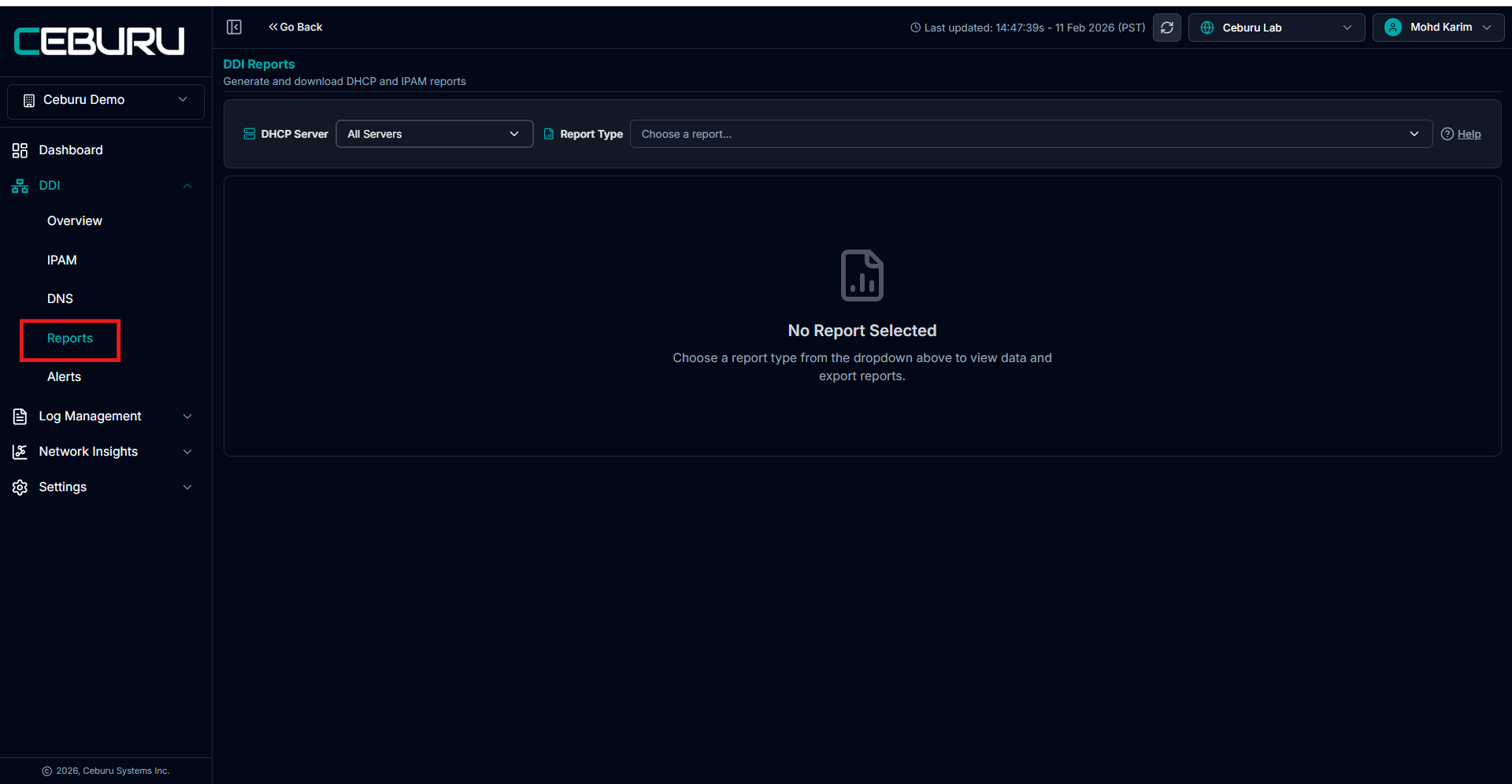
DHCP Server Selection:
The DHCP Server dropdown allows you to control the data source for the report.
Available options include:
All Servers
Generates reports by aggregating data from all configured DHCP servers.Specific DHCP Server
Allows you to select an individual server (for example DC1 or VIN-DHCP).
All report data, including scopes, IP counts, and utilization values, is fetched directly from the selected DHCP server.
Report Type Selection:
The Report Type dropdown lists all available report templates. Once selected, the report is generated instantly in the table view.
Available Report Types
Top 25 DHCP Scopes by Utilization: Displays the top 25 DHCP scopes ranked by IP utilization percentage. Includes scope name, subnet CIDR, network type, status, total allocated IPs, available IPs, used IPs, excluded IPs, utilization percentage, and allocation percentage.
Top 25 DHCP Subnets by Utilization: Shows the top 25 DHCP subnets ranked by utilization. Includes subnet name, subnet CIDR, network type, total IPs, used IPs, available IPs, and utilization percentage.
All Available IP Addresses: Lists all IP addresses currently in Available state. Shows IP address, subnet name, subnet CIDR, and status.
All Reserved IP Addresses: Displays all DHCP reserved IPs. Includes IP address, hostname, status, subnet name, subnet CIDR, and client identifier.
All Assigned IP Addresses: Lists all IPs actively assigned to devices. Includes IP address, client identifier, MAC address, hostname, status, subnet name, and subnet CIDR.
All Claimed IP Addresses: Shows IPs manually claimed through IPAM. Includes IP address, status, client identifier, MAC address, subnet name, claimed by user, claim comment, and claimed date.
IPAM – All Subnets: Provides a comprehensive view of all subnets. Includes subnet name, subnet CIDR, network type, status, total network IPs, allocated IPs, available IPs, assigned IPs, reserved IPs, claimed IPs, used IPs, held IPs, excluded IPs, unallocated IPs, utilization percentage, and allocation percentage.
Multiple IPs per Hostname: Identifies hostnames that have multiple IPs assigned. Displays hostname, total IP count, distinct networks, and distinct MAC addresses. Rows can be expanded to view detailed IP information.
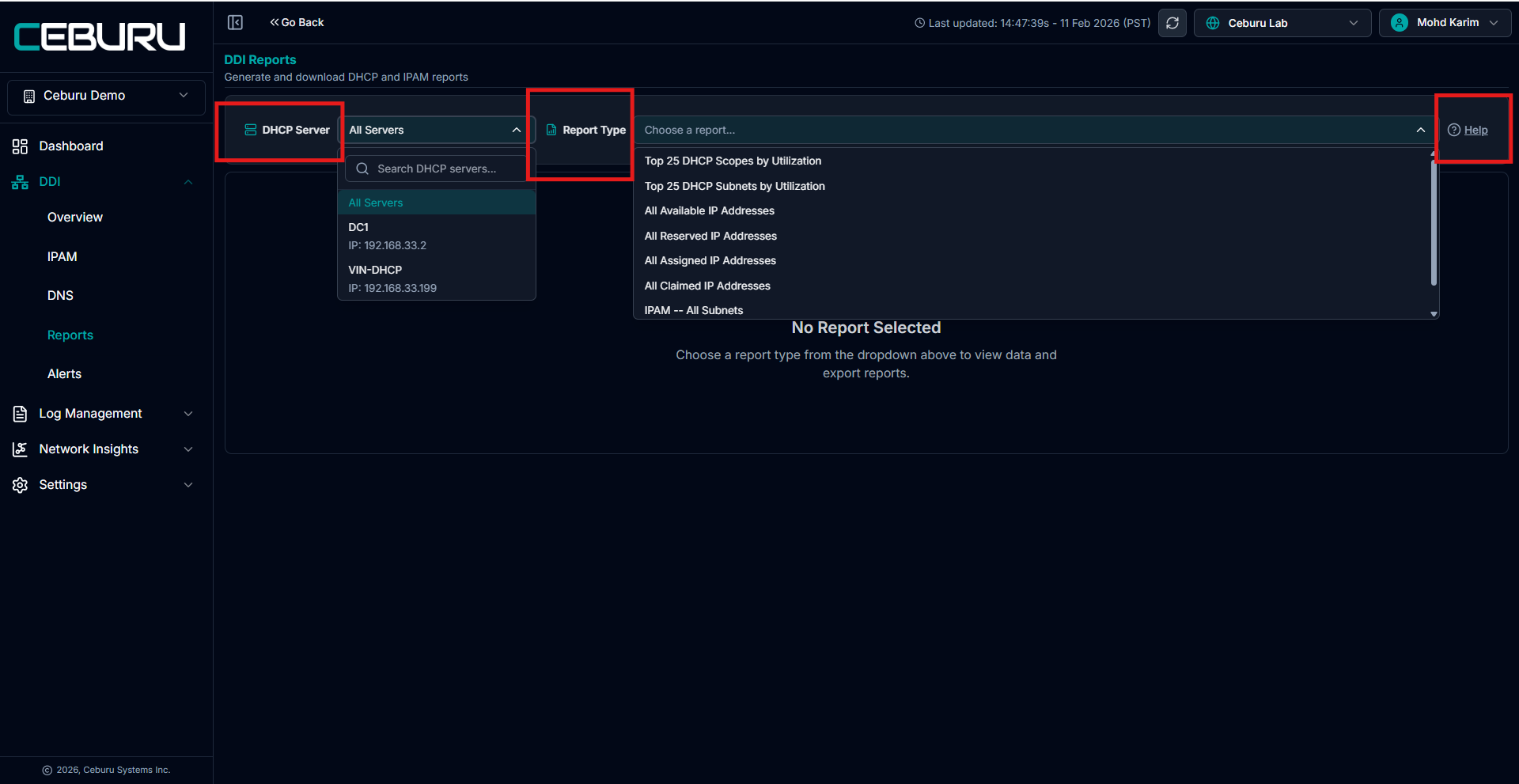
Help Panel:
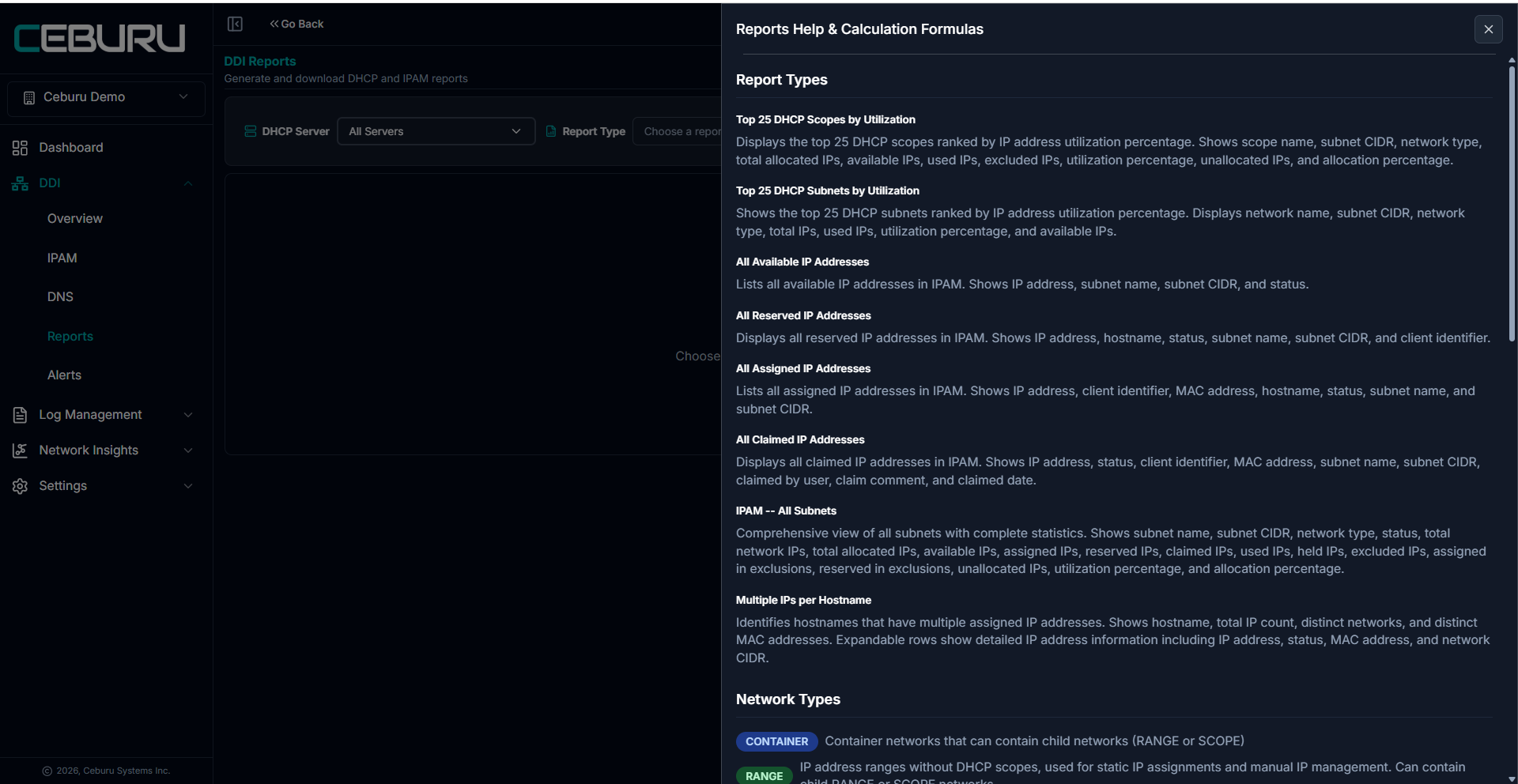
The Help option opens the Reports Help & Calculation Formulas panel.
This panel provides:
Explanation of each report type
Details on how utilization and allocation percentages are calculated
Definitions of network types such as Container, Range, and Scope
If you have any doubts about a report or its calculations, the Help panel should be referenced before exporting or sharing the data.
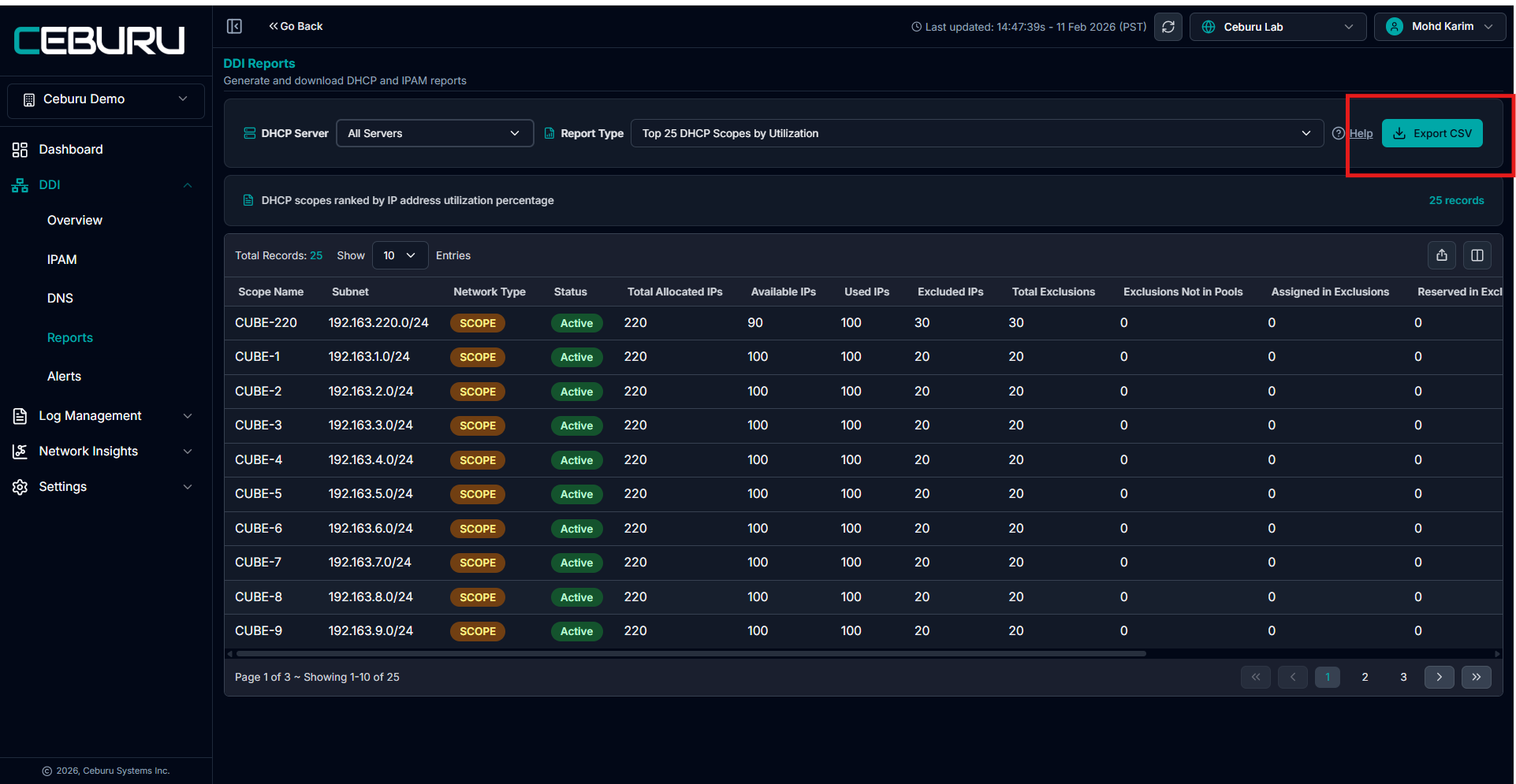
Report Output:
Once a report is selected:
Data is displayed in a tabular format
The total number of records is shown at the top
Columns vary based on the selected report type
The table reflects real-time data from the selected DHCP server.
Exporting Reports to CSV:
All reports support export in CSV format.
To export a report:
Select the DHCP server
Choose the required report type
Click Export CSV in the top-right corner
Exported reports can be opened in spreadsheet tools or imported into reporting systems.
Was this article helpful?
That’s Great!
Thank you for your feedback
Sorry! We couldn't be helpful
Thank you for your feedback
Feedback sent
We appreciate your effort and will try to fix the article