Bandwidth Management provides visibility into network traffic usage, helping administrators understand how bandwidth is consumed across clients, servers, services, countries, and cities. It uses flow data such as NetFlow to analyze traffic patterns and identify heavy usage or anomalies.
1. Navigate to Performance Monitoring > Bandwidth Management.
The Bandwidth Management page is displayed.
The Bandwidth Management dashboard is divided into multiple sections that together provide a complete view of network traffic.
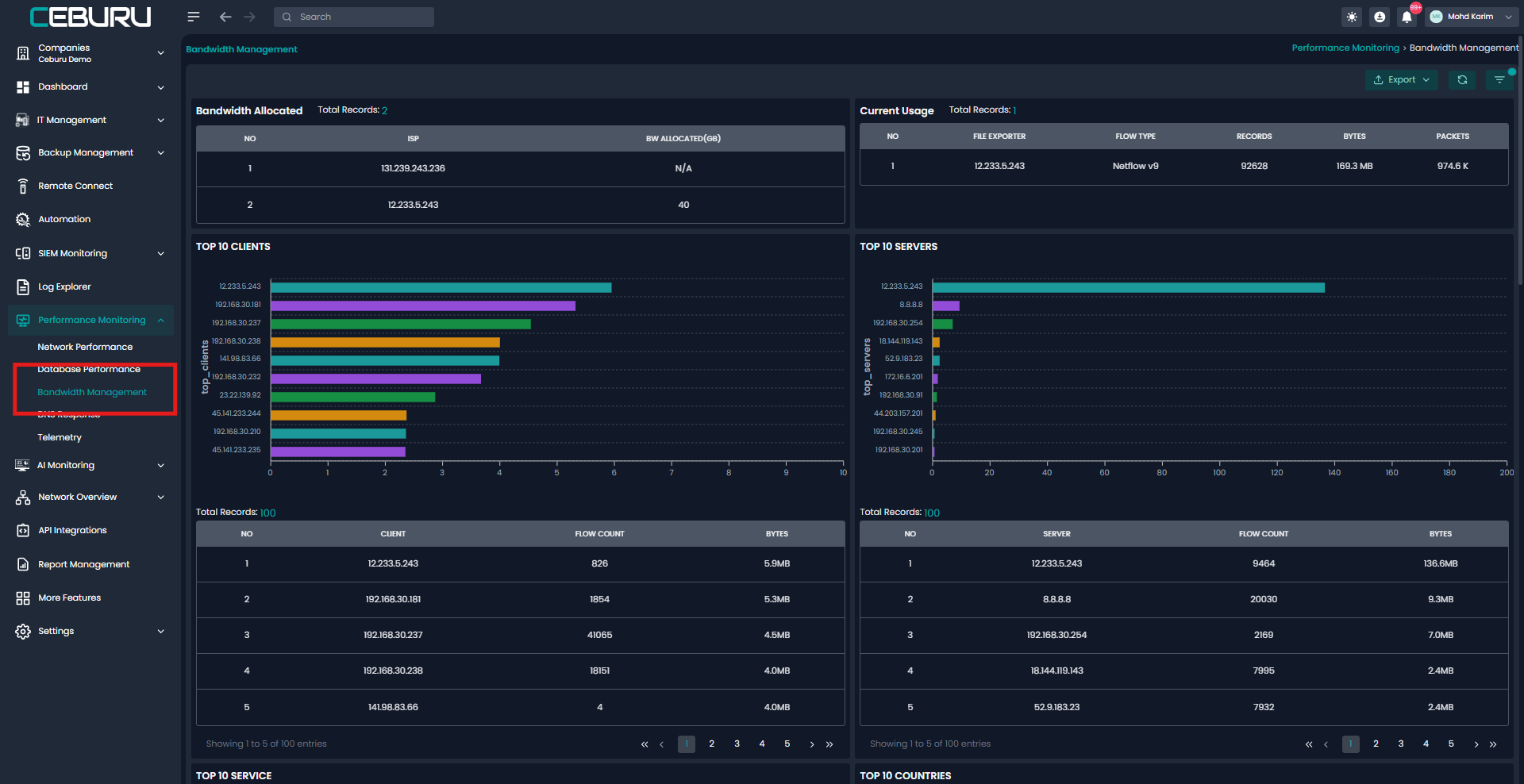
| Section | Component | Description | Key Fields Displayed | Purpose |
|---|---|---|---|---|
| Bandwidth Management | Bandwidth Allocated | Displays configured bandwidth limits for each ISP or flow exporter | ISP, Bandwidth Allocated (GB), Total Records | Helps compare allocated bandwidth against actual usage |
| Bandwidth Management | Current Usage | Shows real time bandwidth consumption based on flow data | File Exporter, Flow Type, Records, Bytes, Packets | Tracks live network usage and validates bandwidth consumption |
| Bandwidth Management | Top 10 Clients | Identifies client IPs consuming the most bandwidth | Client IP, Flow Count, Bytes | Detects heavy users and endpoint level bandwidth usage |
| Bandwidth Management | Top 10 Servers | Highlights servers with highest traffic volume | Server IP, Flow Count, Bytes | Identifies overloaded or high traffic servers |
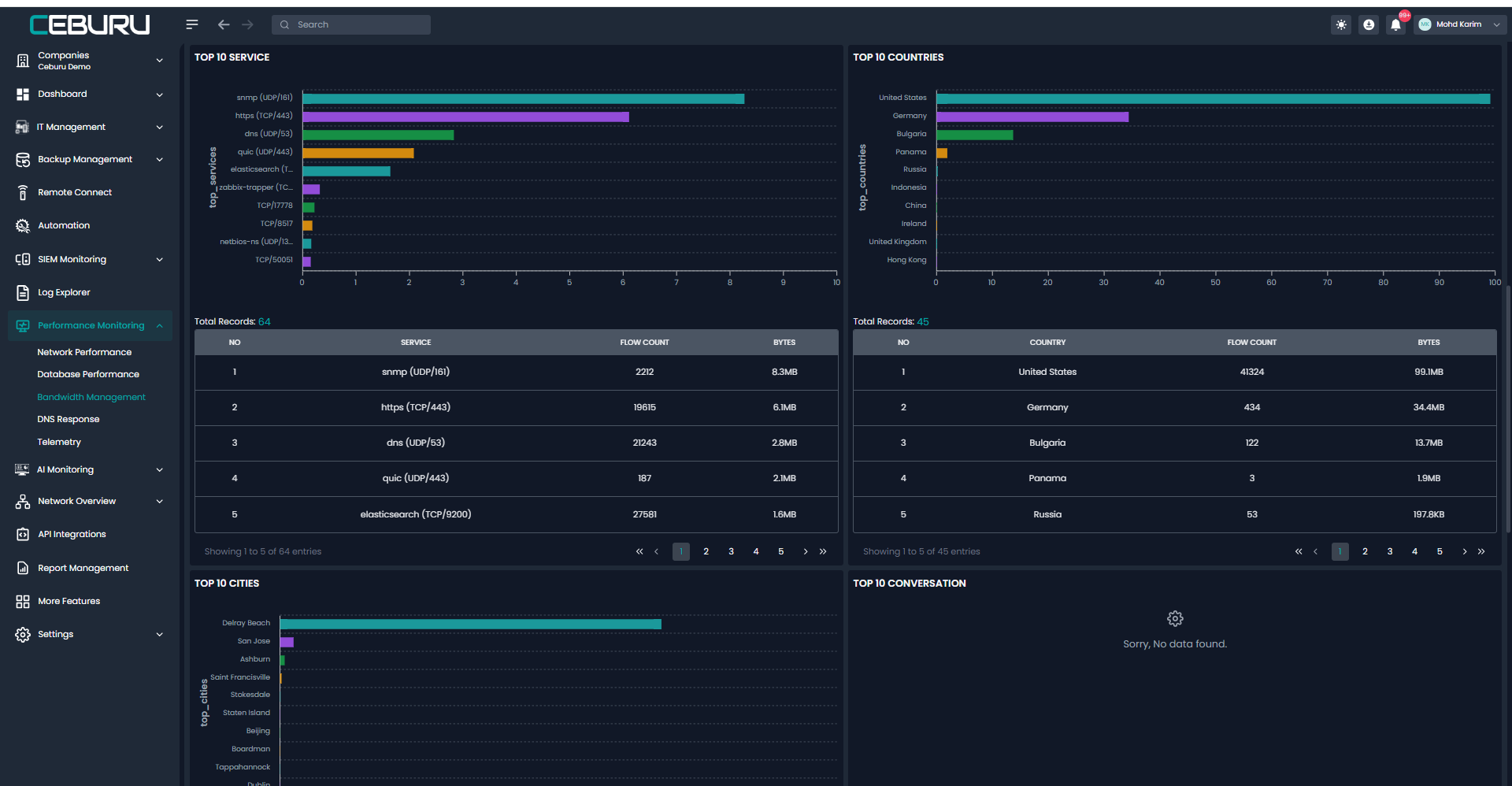
| Bandwidth Management | Top 10 Services | Displays traffic usage by application or service | Service Name, Flow Count, Bytes | Shows which protocols or services consume most bandwidth |
| Bandwidth Management | Top 10 Countries | Breaks down traffic by country of origin or destination | Country, Flow Count, Bytes | Provides geographic visibility and security insights |
| Bandwidth Management | Top 10 Cities | Displays city level traffic distribution | City Name, Flow Count, Bytes | Enables regional traffic and ISP optimization analysis |
| Bandwidth Management | Top 10 Conversations | Shows top endpoint to endpoint traffic conversations | Source IP, Destination IP, Bytes, Flow Count | Helps analyze major traffic exchanges and anomalies |
| Bandwidth Management | Export | Allows downloading bandwidth data | Export format options | Supports reporting and offline analysis |
Was this article helpful?
That’s Great!
Thank you for your feedback
Sorry! We couldn't be helpful
Thank you for your feedback
Feedback sent
We appreciate your effort and will try to fix the article