Importing and Exporting Log Source Configurations
Export a region’s log sources as a single YAML file, edit it, then import it back to create or update many sources in one reviewed change. Every import is previewed and validated before anything is written.
Validation is safe to run repeatedly: you can upload, review, fix, and re-upload as many times as needed.
When to use it
Use the Log Sources form for one-off edits to a single source. Use Import/Export when you need to:
| Bulk create or update | Add many file sources, retune ignore_older across a fleet, or move a set of sources to new collectors. |
| Replicate across regions | Export known-good sources in one region, adjust what differs (usually collectors, file paths, or ports), then import into another region. |
Step 1 — Export a reference YAML file
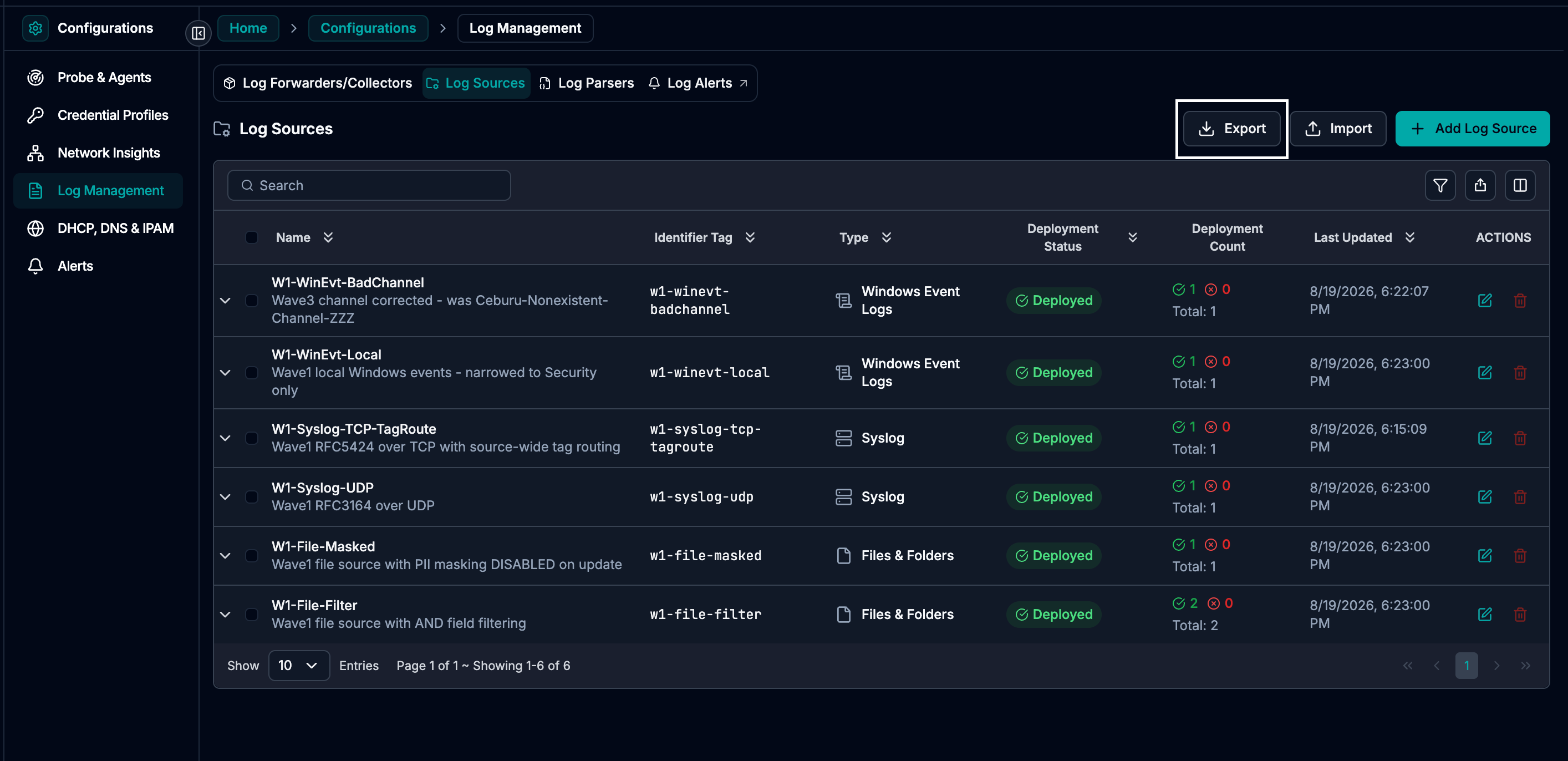
Open Log Management → Log Sources, pick the region, then click Export.
Step 1a — Export button in Log Sources
Export scope
- If you select rows first, only those sources are exported.
- If nothing is selected, all sources in the region are exported.
Step 1b — Export scope (selected rows vs all)
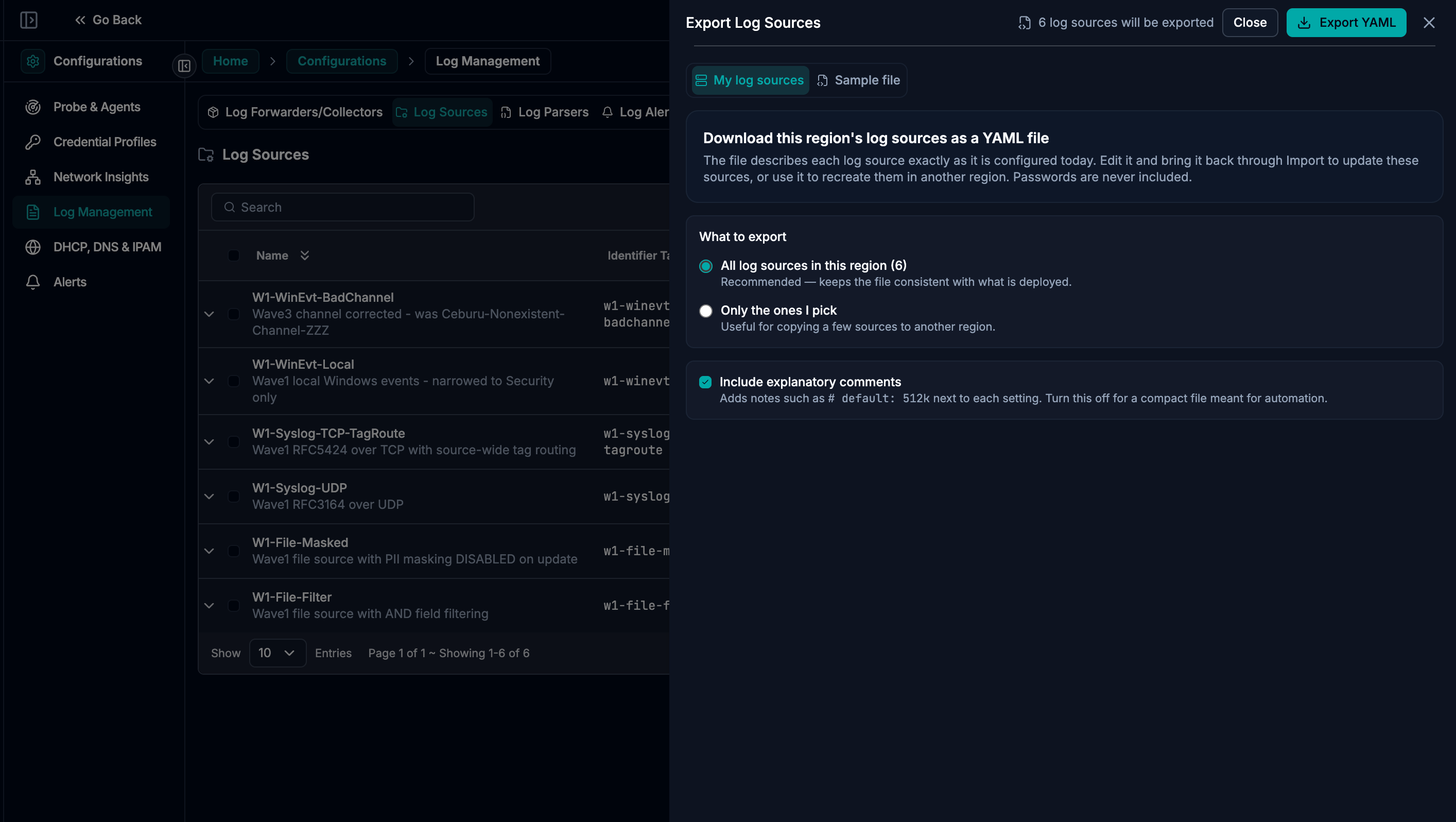
The file downloads as YAML. It is a snapshot (editing it changes nothing until you import it).
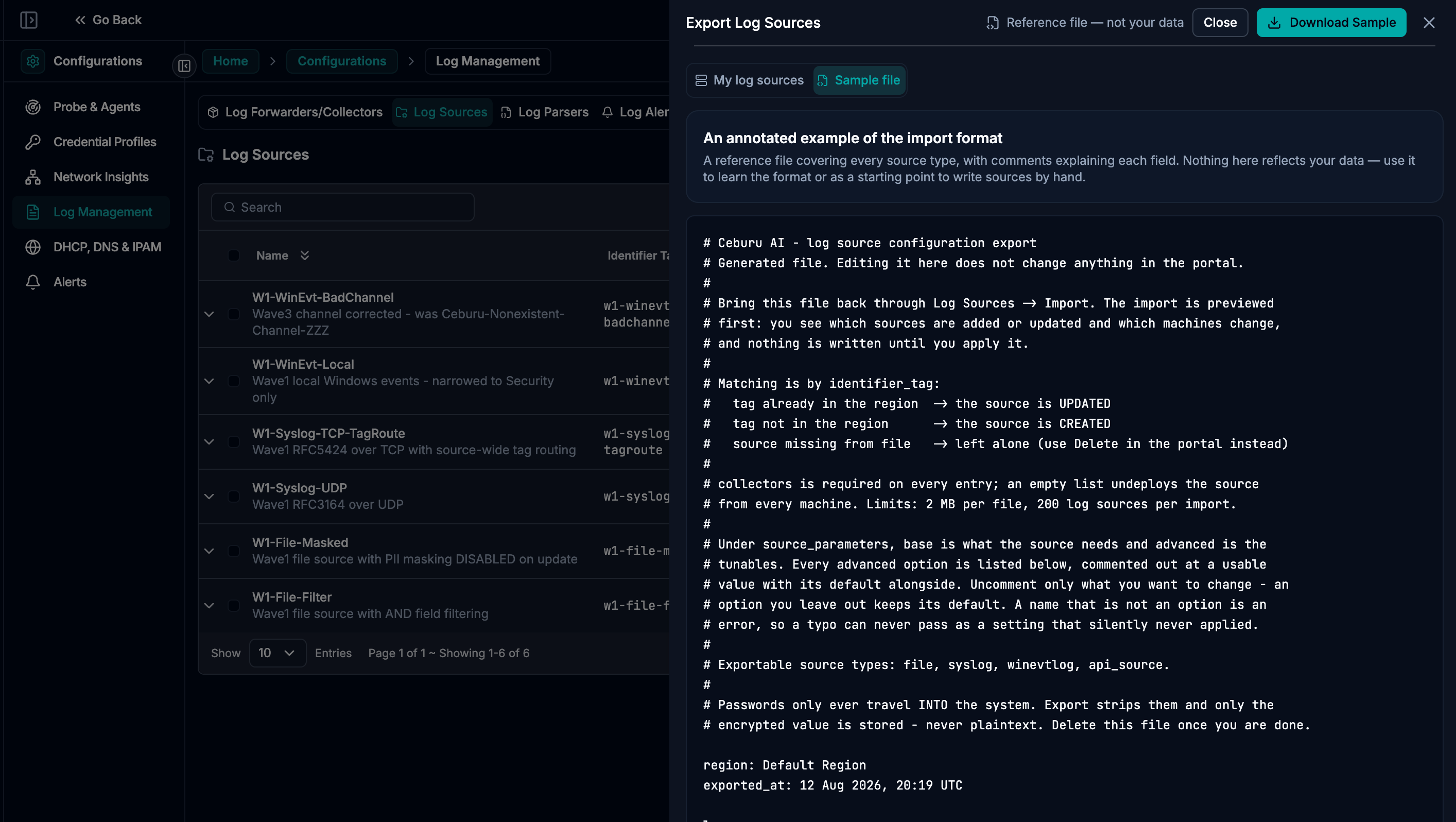
Sample export file (reference)
This sample file can be used as a guide when creating or editing log sources.
Step 1c — Example exported YAML file
Step 2 — Understand the YAML structure
At the top level you’ll see four keys. Only log_sources is actually imported.
| Key | Meaning | On import |
|---|---|---|
| region | Exported-from region | Ignored (target region is the one you’re viewing) |
| exported_at | Snapshot time | Ignored |
| log_sources | List of log source entries | IMPORTED |
| available_collectors | Collector inventory for that region | Reference only (not imported) |
Collector inventory (available_collectors)
Collectors are written as IP addresses in each entry. On import, any collector IP that does not exist in the target region is a blocking error.
The YAML includes a reference list like:
available_collectors:
  - {hostname: SF-01, ip: 192.168.33.54, status: active}
  - {hostname: SF-02, ip: 192.168.33.58, status: active}
Note: available_collectors is not imported. It’s included only as a reference list so you can see which collector IPs existed in the exported region. Always use the collector list shown in the Import panel for the target region when choosing collector IPs.
Step 3 — Know what the file controls (create vs update)
Identity is identifier_tag (not name, not row id)
Within the region you import into:
| In the file | In the region | Result |
|---|---|---|
identifier_tag present | tag exists | UPDATE that source |
identifier_tag present | tag not found | CREATE a new source |
identifier_tag absent | tag exists | Left unchanged (import never deletes) |
| same tag twice in one file | — | ERROR (file rejected) |
A rename is not expressible: changing identifier_tag creates a new source and leaves the old one untouched. Rename in the portal instead. Changing name is safe.
collectors is the deployment list (authoritative)
The file decides exactly where the source is deployed:
| collectors: [ip1, ip2] | Deployed only on these machines. Removing an IP undeploys from that machine (warned). |
| collectors: [] | Undeployed everywhere. Config remains, but it stops collecting. |
| collectors key missing | ERROR (must be explicit; “forgot” must not look like “undeploy all”) |
Everything else is an overwrite
- Any advanced option you omit returns to its default.
- Any unknown parameter name is an error (typos are rejected, not silently ignored).
Step 4 — Use the correct entry shape (by source type)
Every log source entry shares the same outer structure:
- name: Human-readable label          # safe to change
  identifier_tag: unique-tag          # identity for matching
  description: null
  query_tags: []                      # e.g. [env=prod, team=platform]
  source_type: file                   # file | syslog | winevtlog | api_source
  parser: JSON
  collectors: [192.168.33.54]         # required on every entry
  source_parameters:
    base:      # required fields for the type
    advanced:  # tunables (uncomment only what you change)
  routing_rules:                      # optional (Step 5)
Parser names are matched loosely (case/spaces/dashes ignored), so RFC 5424 and syslog-rfc5424 are treated the same. Built-ins include: JSON, Key Value, RFC 5424, RFC 3164, plain. Use parser: null for winevtlog (already structured).
4.1 — source_type: file (tail files on disk)
- name: OG-LOGS
  identifier_tag: jsonlogs
  source_type: file
  parser: JSON
  collectors: [192.168.33.54]
  source_parameters:
    base:
      file_path: C:\Logs\app
      file_pattern: '*.log'
    advanced:
      ignore_older: 24h
      read_from_head: true
      refresh_interval: 30
      memory_buffer_limit: 32M
      skip_long_lines: 'on'
Notes:
- Quote patterns like
*.log(YAML treats*specially). - Windows paths don’t need escaping; use unquoted or single-quoted strings.
4.2 — source_type: syslog (listen on a port)
- name: RFC5424
  identifier_tag: rfc5424
  source_type: syslog
  parser: RFC 5424
  collectors: [192.168.33.54]
  source_parameters:
    base:
      mode: tcp        # tcp|udp
      port: 5141       # 1–65535; must be free on each listed collector
Ports are commonly the blocking issue. Validation checks:
- against existing syslog sources in the region, and
- against other entries within the same file.
Changing a port on an existing source can silently drop traffic from senders still using the old port; the preview will warn.
4.3 — source_type: winevtlog (remote Windows event logs)
Remote collection uses host blocks under remote_details. Each existing host has a block_id (minted by the system).
- name: Domain Controllers
  identifier_tag: dc-events
  source_type: winevtlog
  parser: null
  collectors: [192.168.33.58]
  source_parameters:
    base:
      remote_windows_host: true
      remote_details:
        - block_id: CNcOQ
          channels: Application,Setup
          domain: ceburu.local
          username: Administrator
          ip: [192.168.33.2]
        - channels: System
          domain: ceburu.local
          username: svc_logs
          ip: [192.168.33.9]
          password: new-pass
Rules:
- Exports never contain passwords.
- New hosts must include
password. - Removing a host block stops collecting from that host (warned).
remote_detailscannot be empty whileremote_windows_host: true.
4.4 — source_type: winevtlog (local Windows event logs on the collector)
- name: Local Windows Events
  identifier_tag: winevt-local
  source_type: winevtlog
  parser: null
  collectors: [192.168.33.58]
  source_parameters:
    base:
      remote_windows_host: false
      channels: Application,Security,System
This is also how you convert a remote source to local: set remote_windows_host: false, remove remote_details, and provide channels.
4.5 — source_type: api_source (ingest via API, no collectors)
- name: Semantic Search Test
  identifier_tag: semantic-search
  source_type: api_source
  parser: plain
  collectors: []
  source_parameters:
    base: {}
collectors must be an empty list; listing a collector IP is a blocking error.
Step 5 — (Optional) Routing and masking rules
routing_rules has the same shape for every source type:
routing_rules:
  masking_enabled: true
  tag_based_routing: false
  filtering_rule_operator: AND   # AND|OR
  filtering_rules:
    - {field: $service_name, operator: equals, value: 'checkout'}
    - {field: $hostname, operator: not_equals, value: 'staging-01'}
    - {field: $channel, operator: contains, value: [email, ticket]}
Supported operators: equals, not_equals, contains, not_contains, matches_regex, not_matches_regex (aliases like eq, neq, in, regex are accepted).
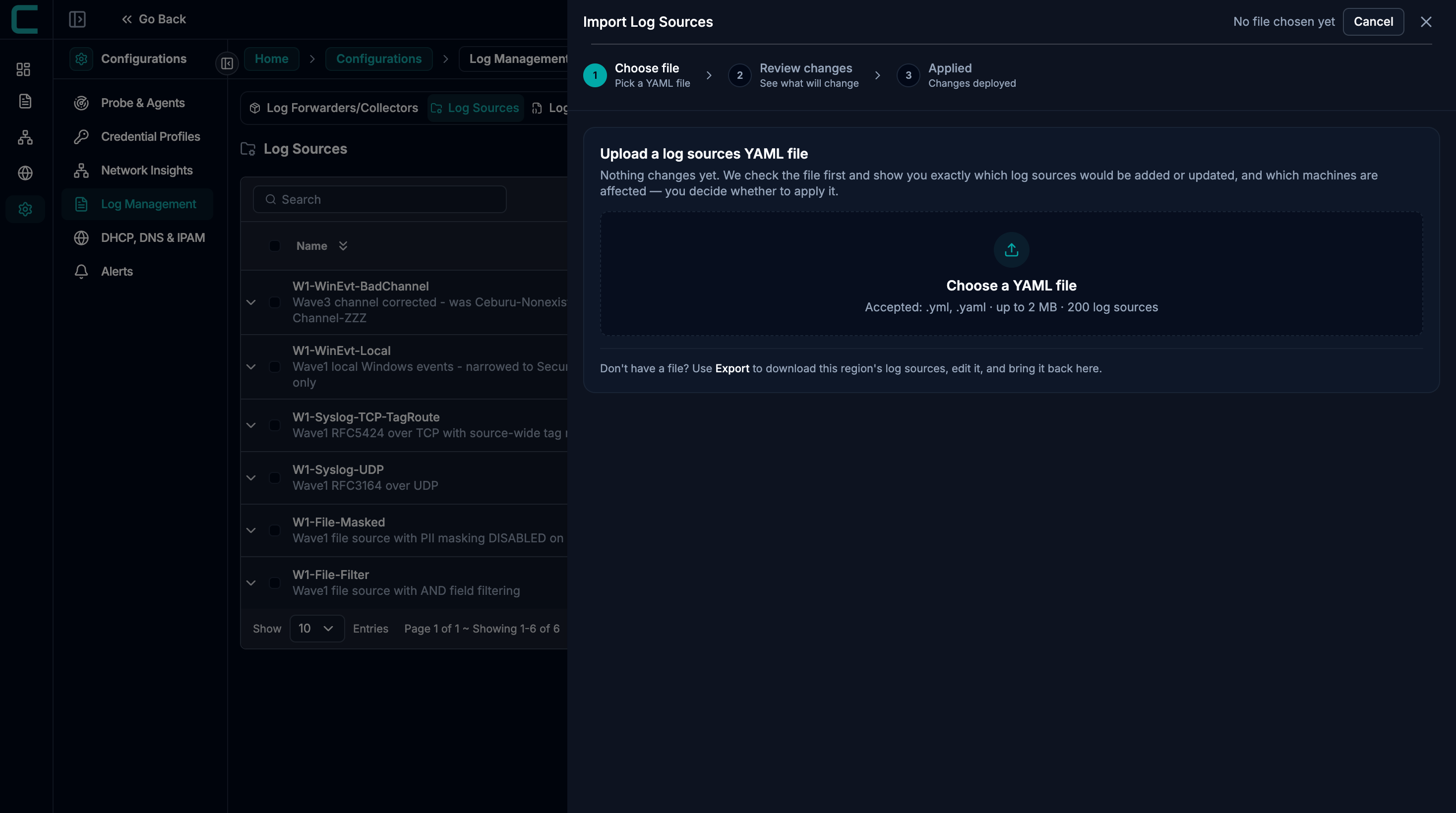
Step 6 — Import and Validate (preview only)
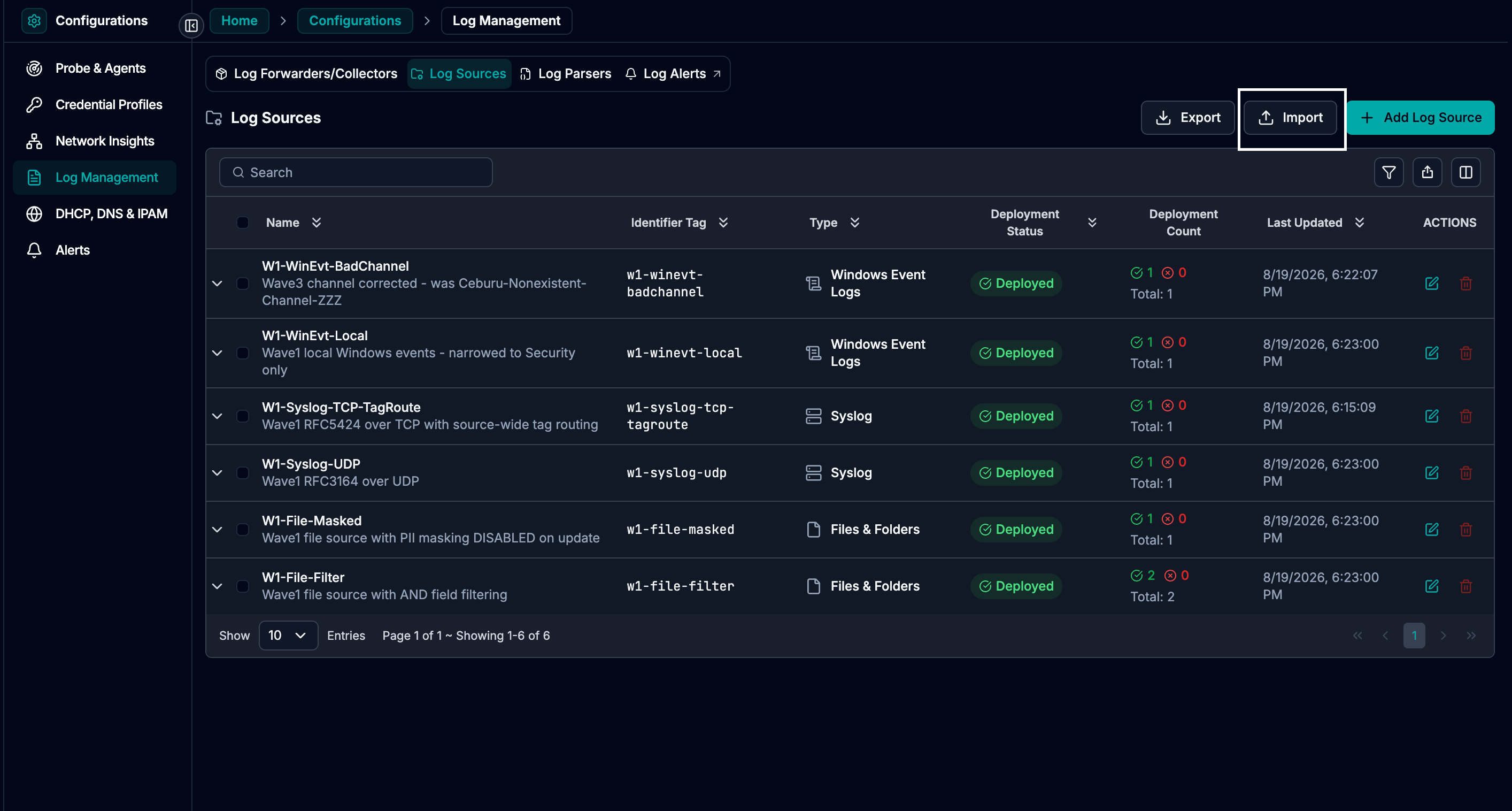
Go to the region you want to import into, then open Log Sources → Import.
Step 6 — Import entry point (Import button / panel)
Upload the YAML file.
Step 6 — Upload YAML file
Click Validate to preview what will happen.
Step 6 — Import panel with Validate and preview
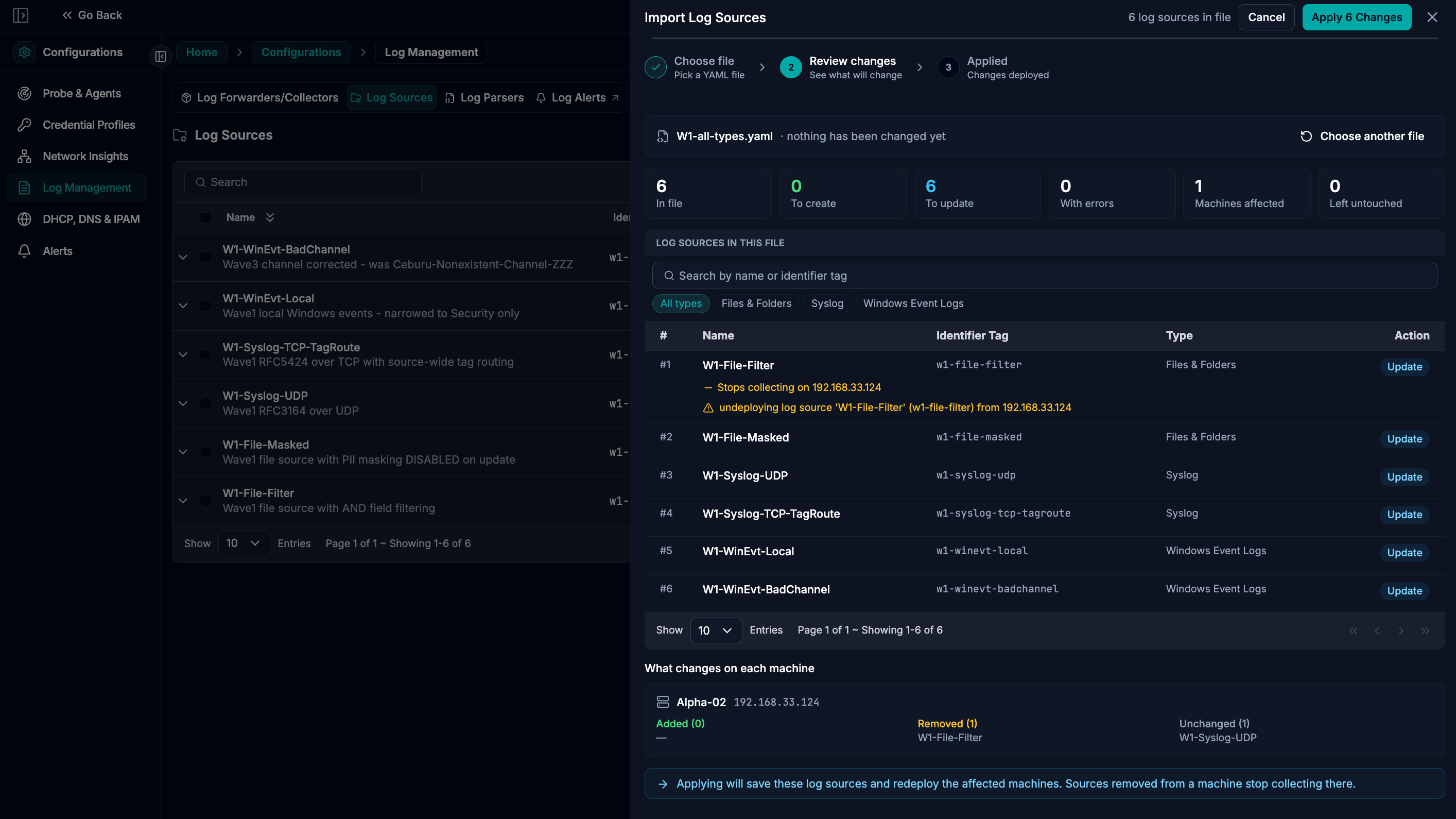
Nothing is written during validation. The preview shows:
| Summary | counts of creates/updates, errors/warnings, impacted machines, and untouched existing sources. |
| Per entry | create/update, type, machine gains/losses, and row-level errors/warnings. |
| Per machine | what each collector gains/loses/keeps. |
| Available collectors | the allowed IPs for the target region. |
Fix issues, re-upload, and validate again until there are zero errors.
Step 7 — Errors vs warnings (how to read the preview)
| ERROR | import cannot run until fixed. |
| WARNING | import can run, but the change may be destructive (review carefully). |
Step 7 — Example preview showing errors and warnings
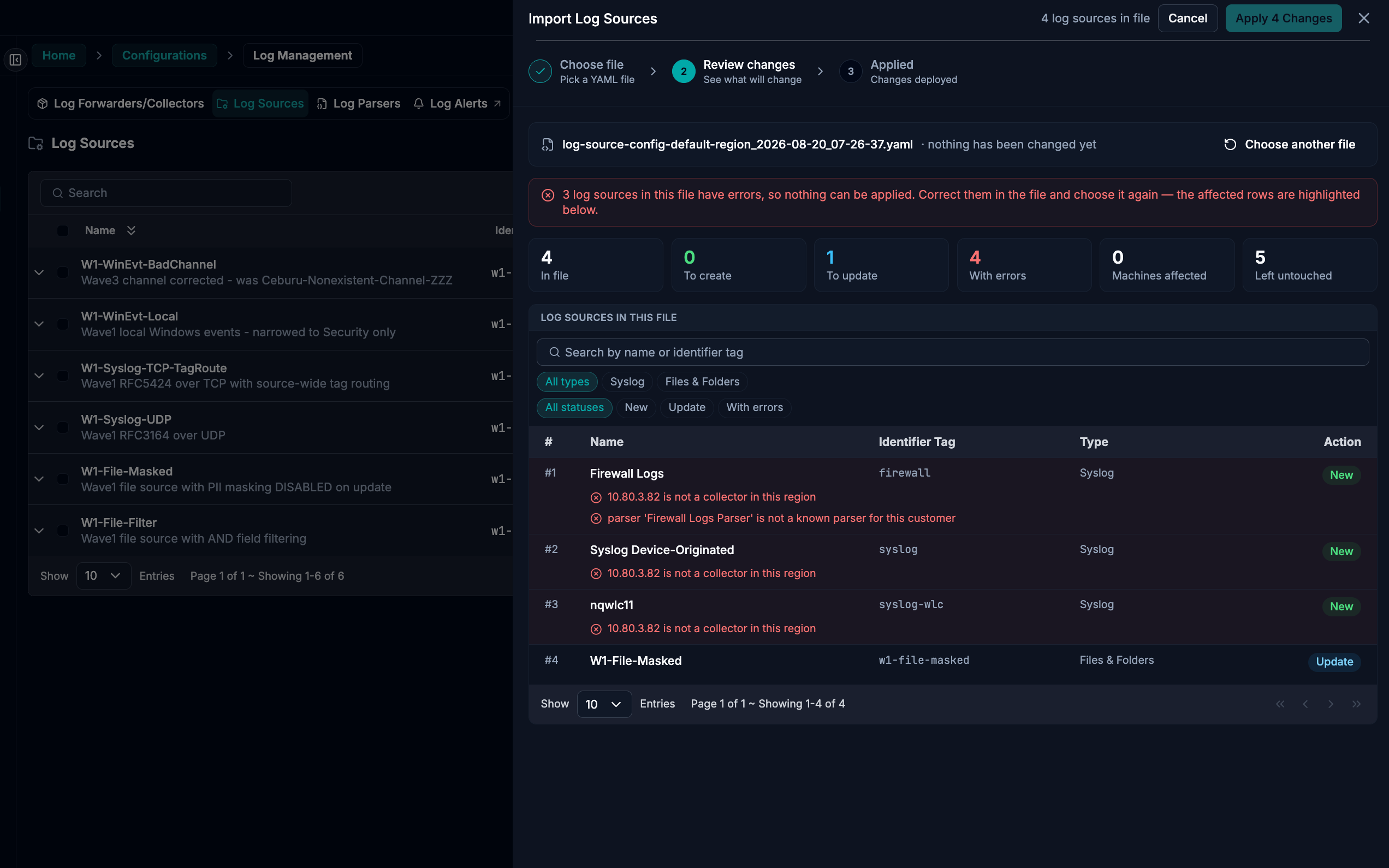
Common errors
- invalid/empty YAML, non-UTF8, missing
log_sources - file exceeds limits (size or entry count)
- missing required fields (
name,identifier_tag,source_type) collectorsmissing or contains invalid IPs (or collectors listed forapi_source)- unknown parameter names (typos), wrong value types, out-of-range values
- syslog port conflicts
- windows host block issues (unknown/repeated
block_id, new host without password)
Common warnings
- undeploying from a machine (collector IP removed)
collectors: [](undeploy everywhere)- source type changed
- parser changed
- port changed
- routing rules removed
- masking disabled
- windows host block removed
- plaintext passwords present in YAML (review + delete the file after import)
Step 8 — Continue import (writes changes)
When the preview shows 0 errors, click Continue import to apply the plan.
Step 8 — Continue import confirmation
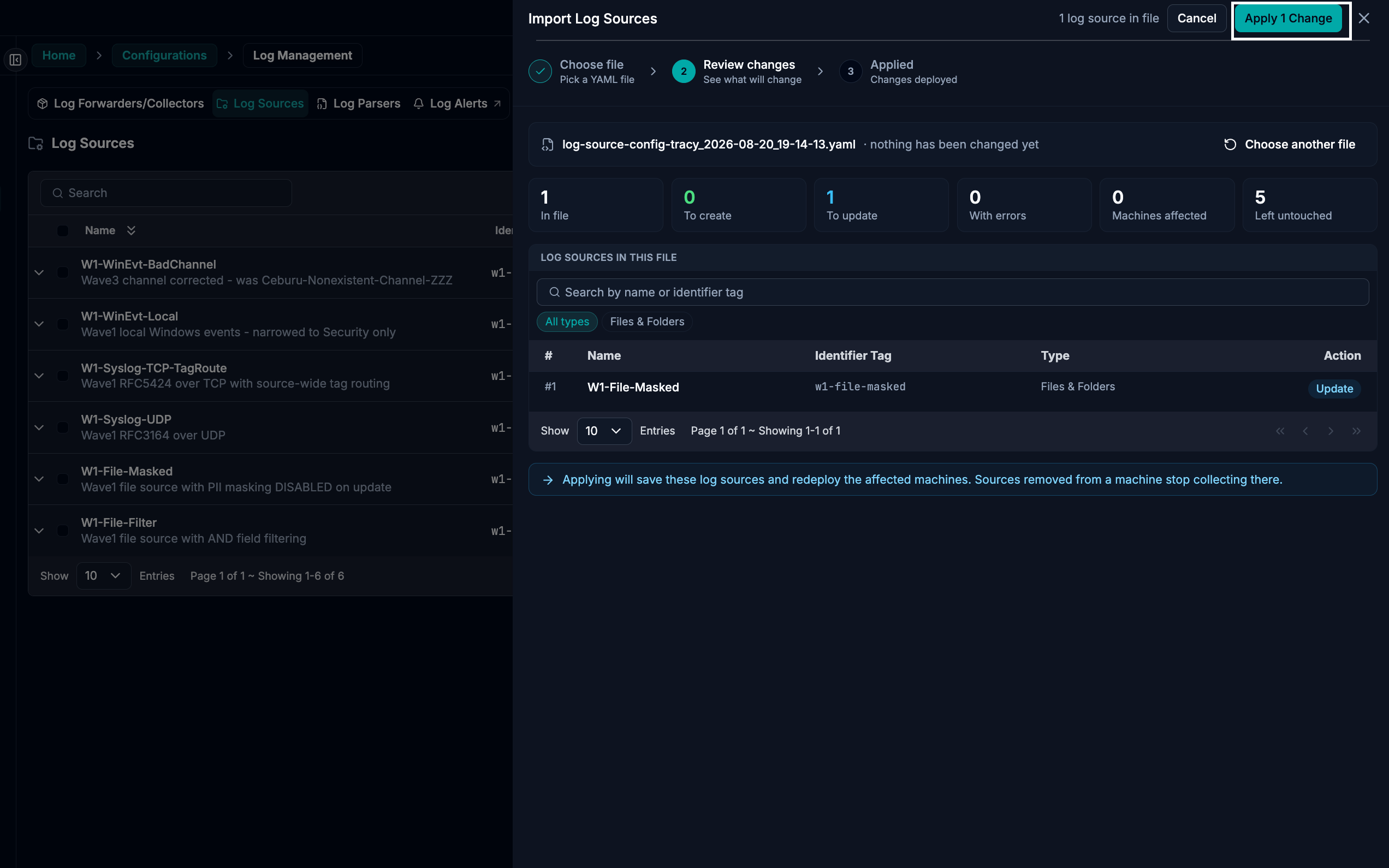
What happens:
- Each entry is written transactionally (all-or-nothing per entry).
- Collector configurations are rebuilt for impacted machines.
- A deployment run starts; sources move through statuses until deployed (API sources may complete immediately).
Only one deployment runs at a time per region. If another deployment is already running, the import will wait and tell you what it’s blocked on.
Clone a region (most common workflow)
- Export from the source region (select only the sources you want first).
- Open the target region and note its available collectors (from the Import panel).
- Edit the YAML:
- swap
collectorsIPs for the target region - update file paths (often differ)
- verify syslog ports are free
- swap
- Decide whether to keep
identifier_tagthe same (same identity in the new region). - For remote
winevtlog, removeblock_idvalues and add passwords for new host blocks (credentials don’t travel). - Import → Validate (expect mostly “create”).
- Continue import, then delete any file that contains passwords.
Limits and guardrails
| Max file size | 2 MB |
| Max sources per import | 200 |
| Deletion | never (sources missing from the file are left untouched) |
| Scope | one region per import |
| Concurrency | one deployment at a time per region |
Was this article helpful?
That’s Great!
Thank you for your feedback
Sorry! We couldn't be helpful
Thank you for your feedback
Feedback sent
We appreciate your effort and will try to fix the article