The Log Parser feature allows users to define custom parsing rules to structure raw logs into meaningful fields. By using Grok patterns, users can extract structured data such as timestamps, log levels, and messages from incoming log streams.
To configure a Log Parser:
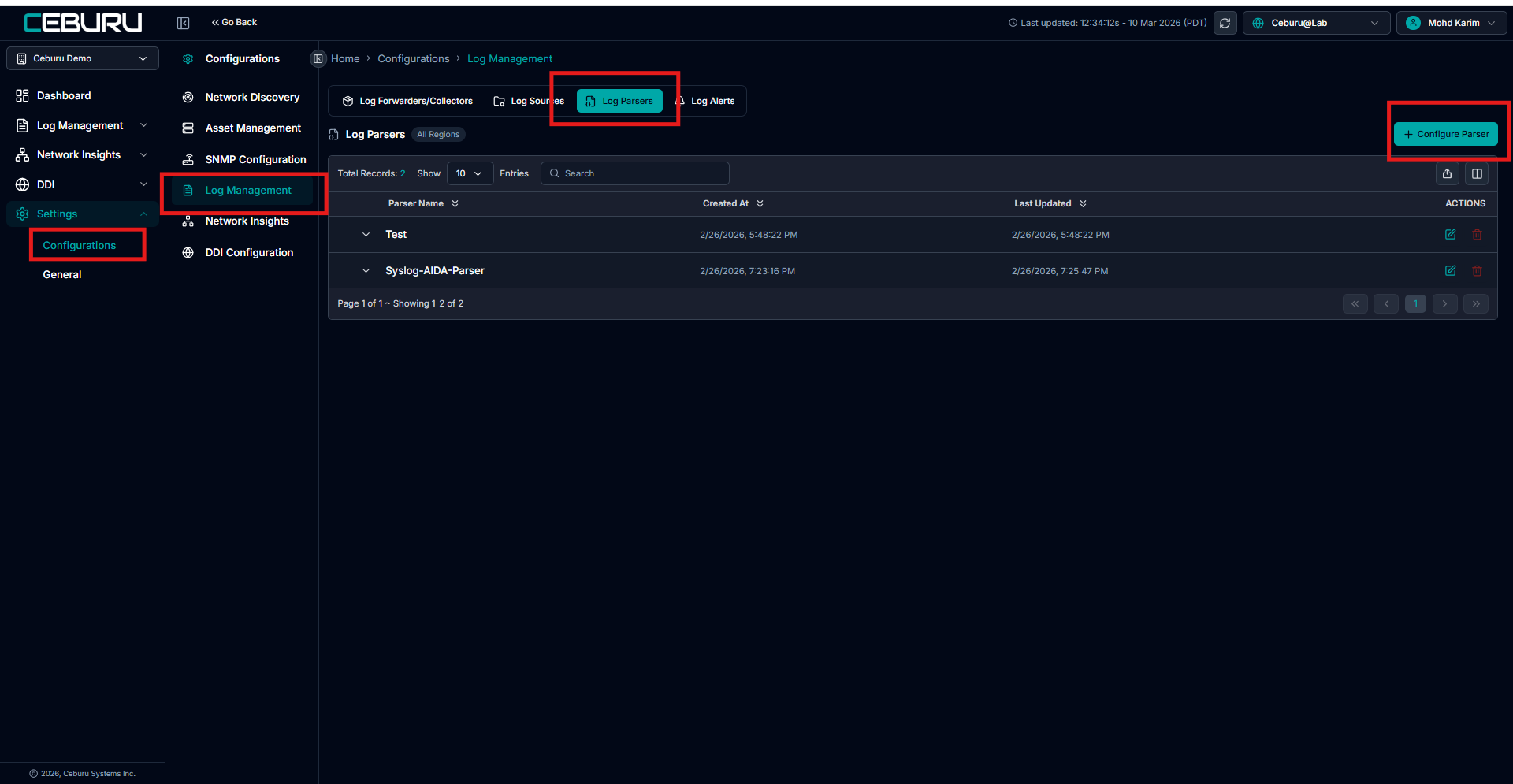
Go to Settings from the main sidebar.
Select Configurations.
Click Log Management.
Open the Log Parsers tab.
This section displays all configured log parsers and allows users to create or modify them.
Creating a New Log Parser
To create a new parser:
Click + Configure Parser
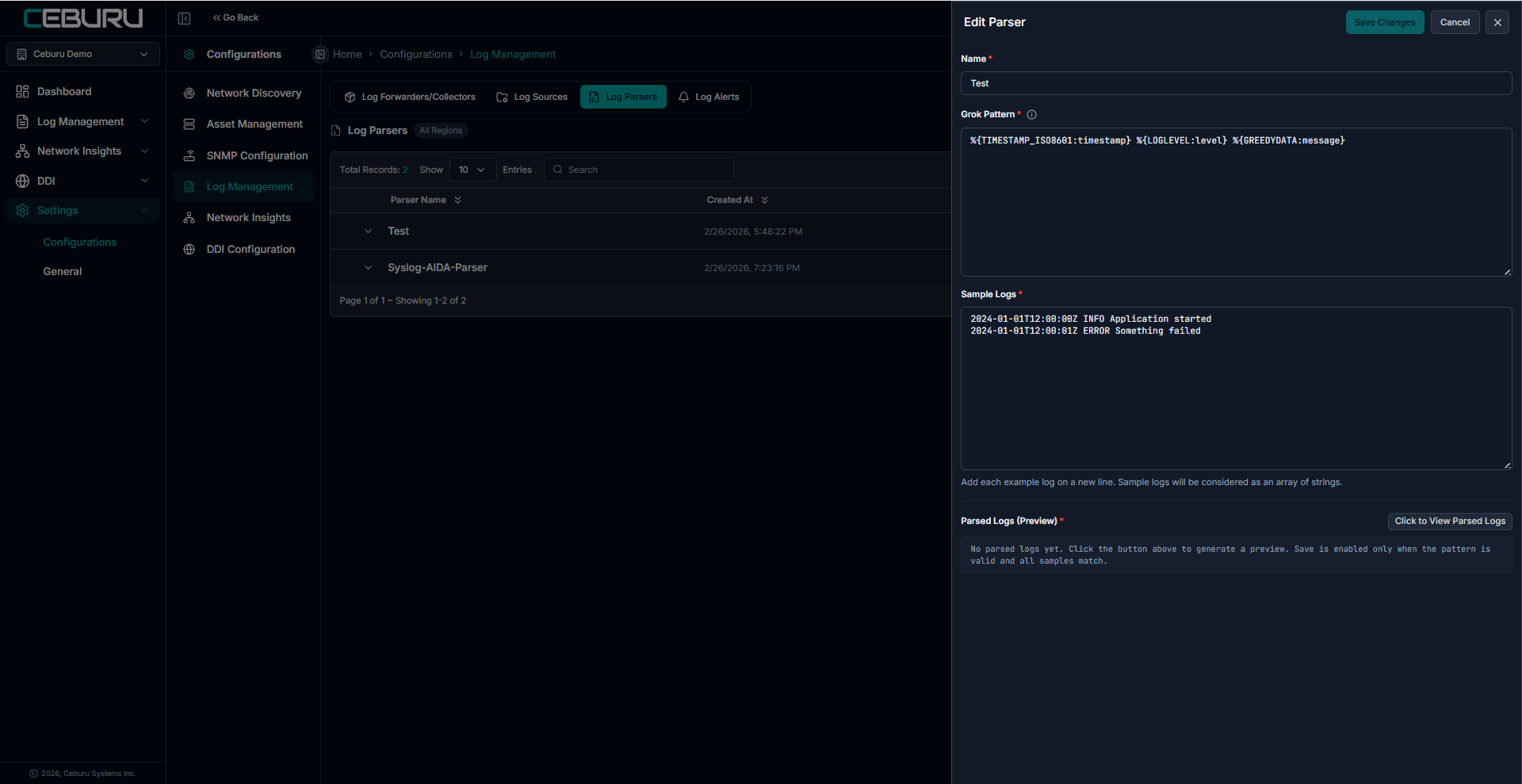
The Edit Parser panel opens on the right side
Provide required configuration
Validate parsing with sample logs
Save the parser
1. Parser Name
Field: Name
Defines the unique identifier for the parser.
2. Grok Pattern
Field: Grok Pattern
A Grok pattern is used to extract structured fields from log messages.
Grok combines regular expressions with predefined patterns to match log formats.
3. Sample Logs
Field: Sample Logs
Used to validate the Grok pattern before saving the parser.
Requirements
Each log entry must be on a new line
The system treats them as an array of log strings
4. Parsed Logs (Preview)
This section shows the parsed output generated from sample logs.
To generate preview:
Click Click to View Parsed Logs
System applies the Grok pattern
Structured output is displayed
Save the changes.
Was this article helpful?
That’s Great!
Thank you for your feedback
Sorry! We couldn't be helpful
Thank you for your feedback
Feedback sent
We appreciate your effort and will try to fix the article