Report Management in Ceburu allows users to schedule, manage, edit, and download automated reports for various monitoring categories. Reports are generated based on the defined schedule and delivered to selected users in the chosen export format.
Navigation Path: Left Menu - Report Management
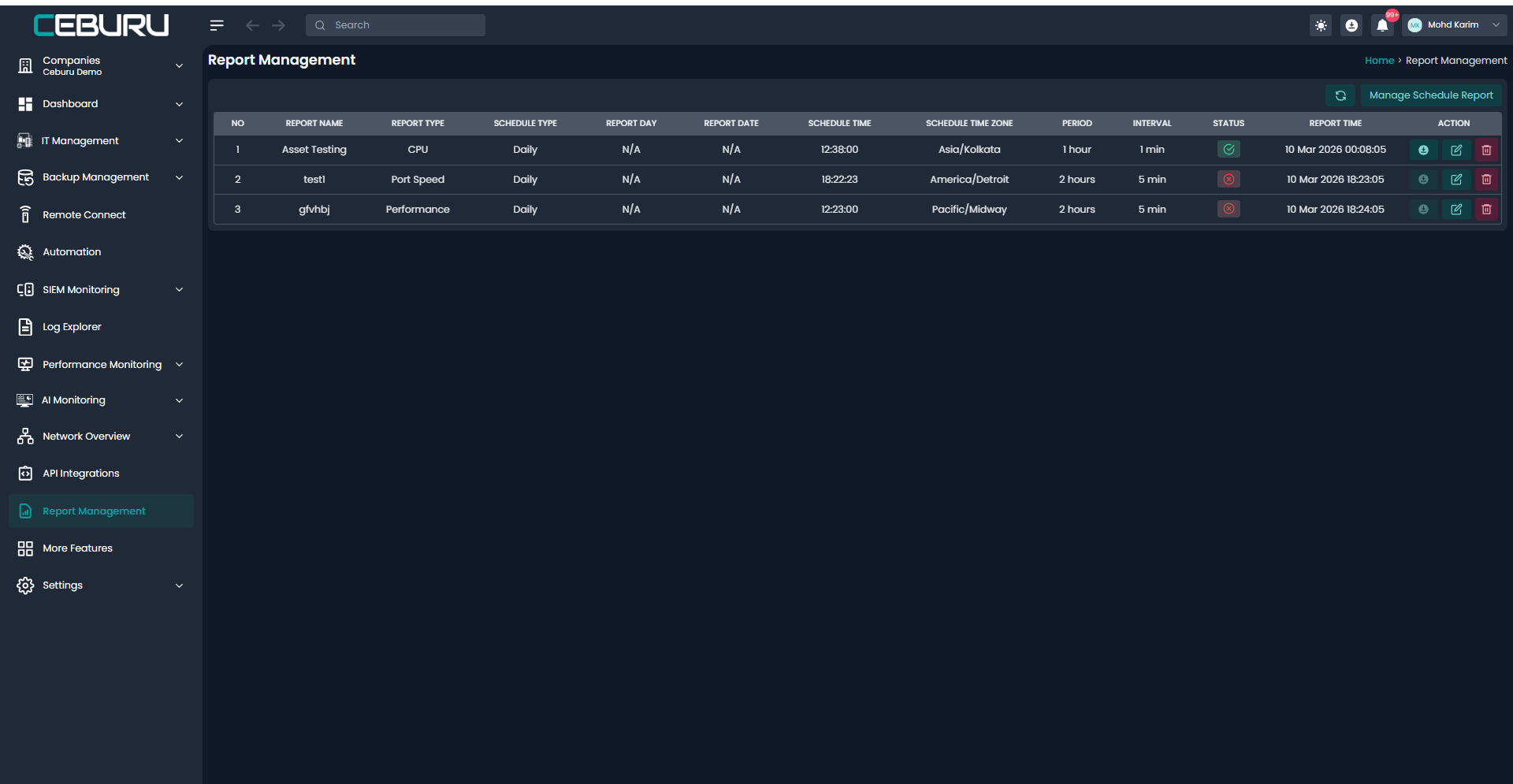
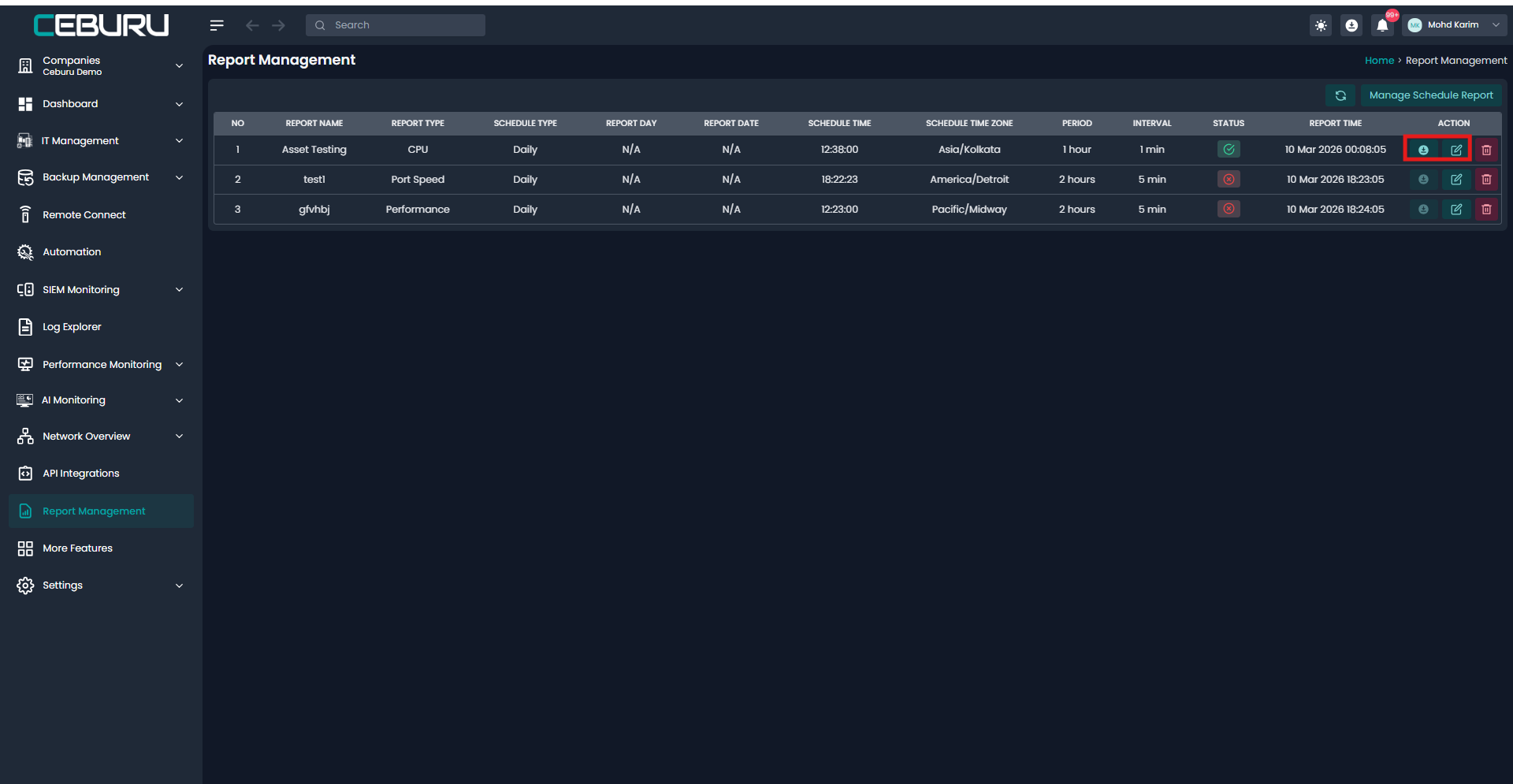
This page displays all configured scheduled reports along with their current status and execution details.
Scheduled Reports Table:
The main table provides a complete overview of all scheduled reports with the following details:
| Column | Description |
|---|---|
| Report Type | Type of report (Availability, Performance, Inventory, Network Health, Custom) |
| Schedule Type | Frequency of execution (Daily / Weekly / Monthly) |
| Report Day / Date | Applicable for weekly or monthly schedules |
| Schedule Time | Time at which the report is generated |
| Time Zone | Time zone used for scheduling |
| Period | Duration covered by the report |
| Interval | Data aggregation interval |
| Group Name | Target device or system group |
| Status | Indicates whether the schedule is active or inactive |
| Report Generated Time | Last successful report generation time |
| User Email | Recipient email address |
| Actions | Download, Edit, or Delete the schedule |
Creating a Scheduled Report
Click Manage Schedule (top-right corner)
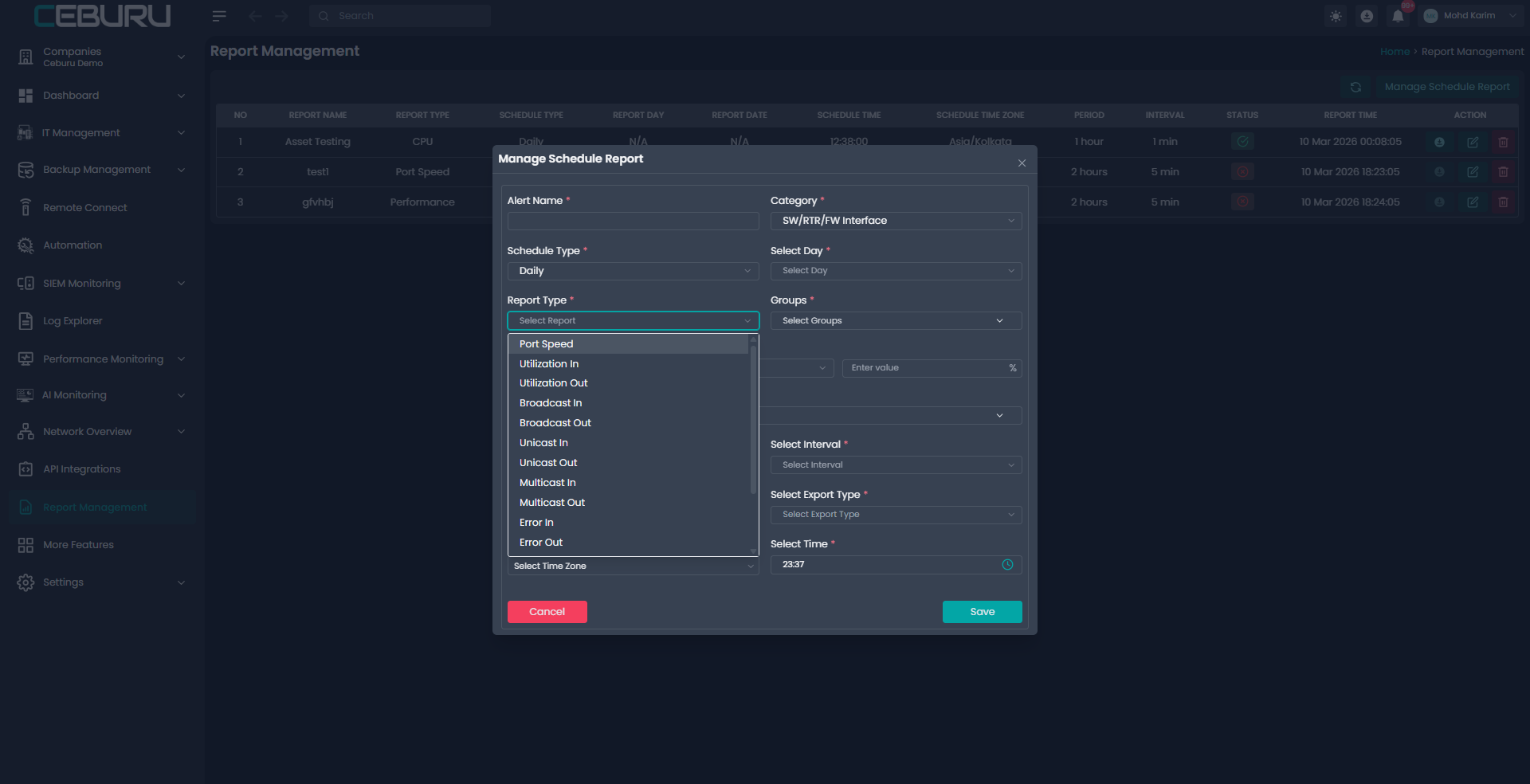
Fill in the required fields in the Manage Schedule Report window:
Schedule Type (Daily / Weekly / Monthly)
Report Day (if applicable)
Advance Group
Category (Asset, SW/RTR/FW devices and interfaces)
Group
Report Type
Period
Condition (cpu < 80%)
Interval
Time Zone
Schedule Time
Select Users
Export Type (CSV, PDF, XLSX)
Click Save
The scheduled report will now appear in the reports table.
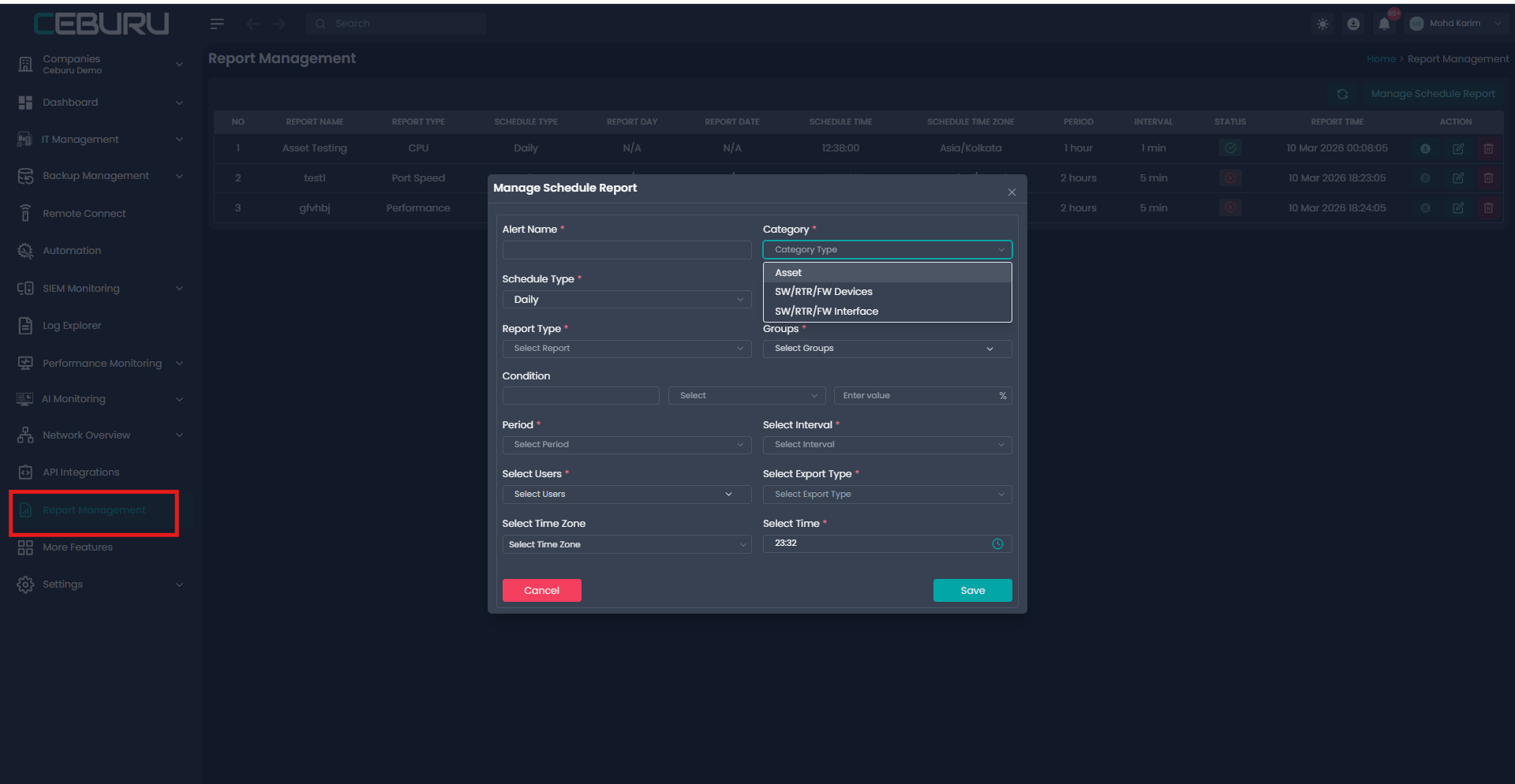
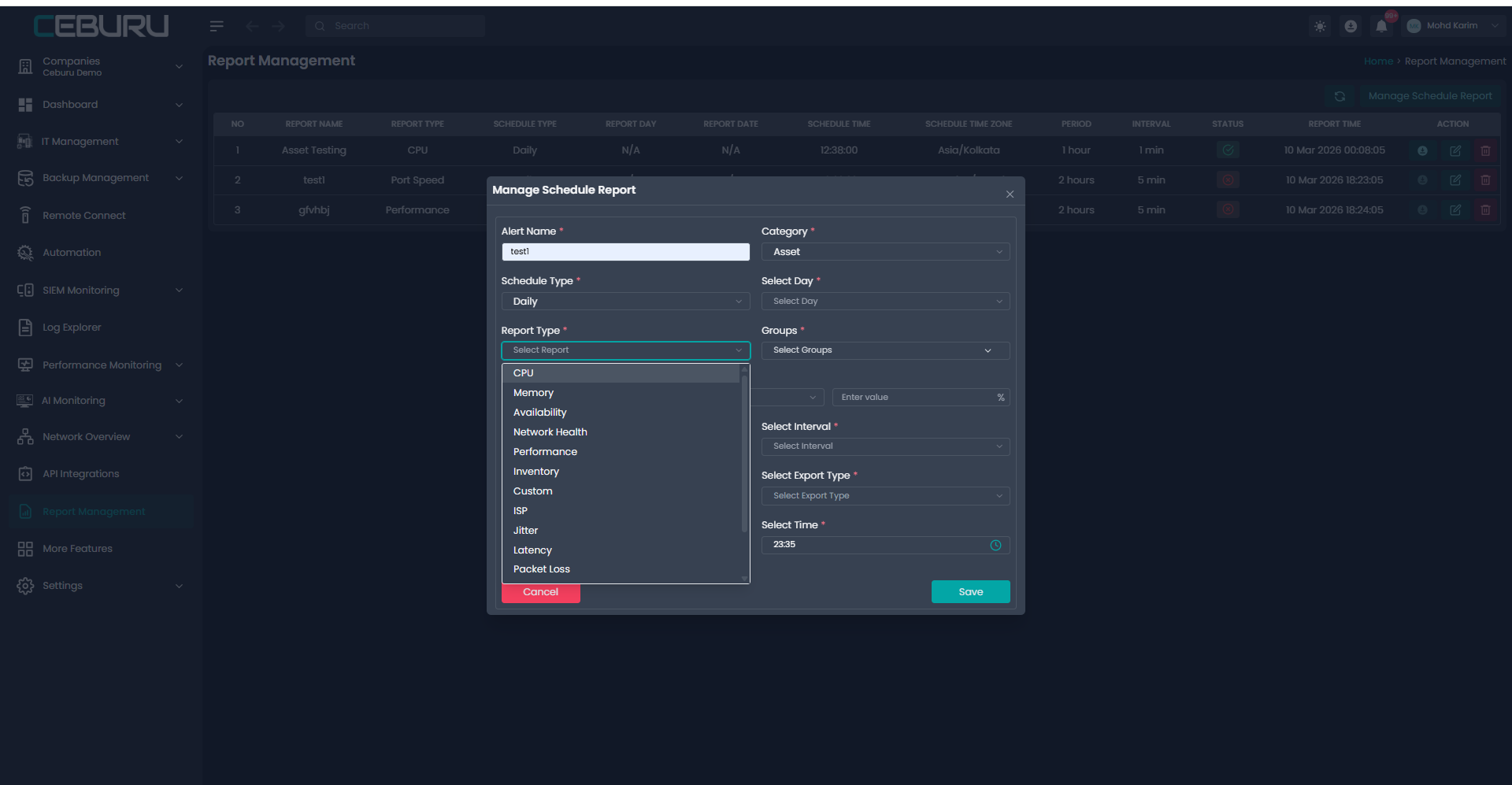
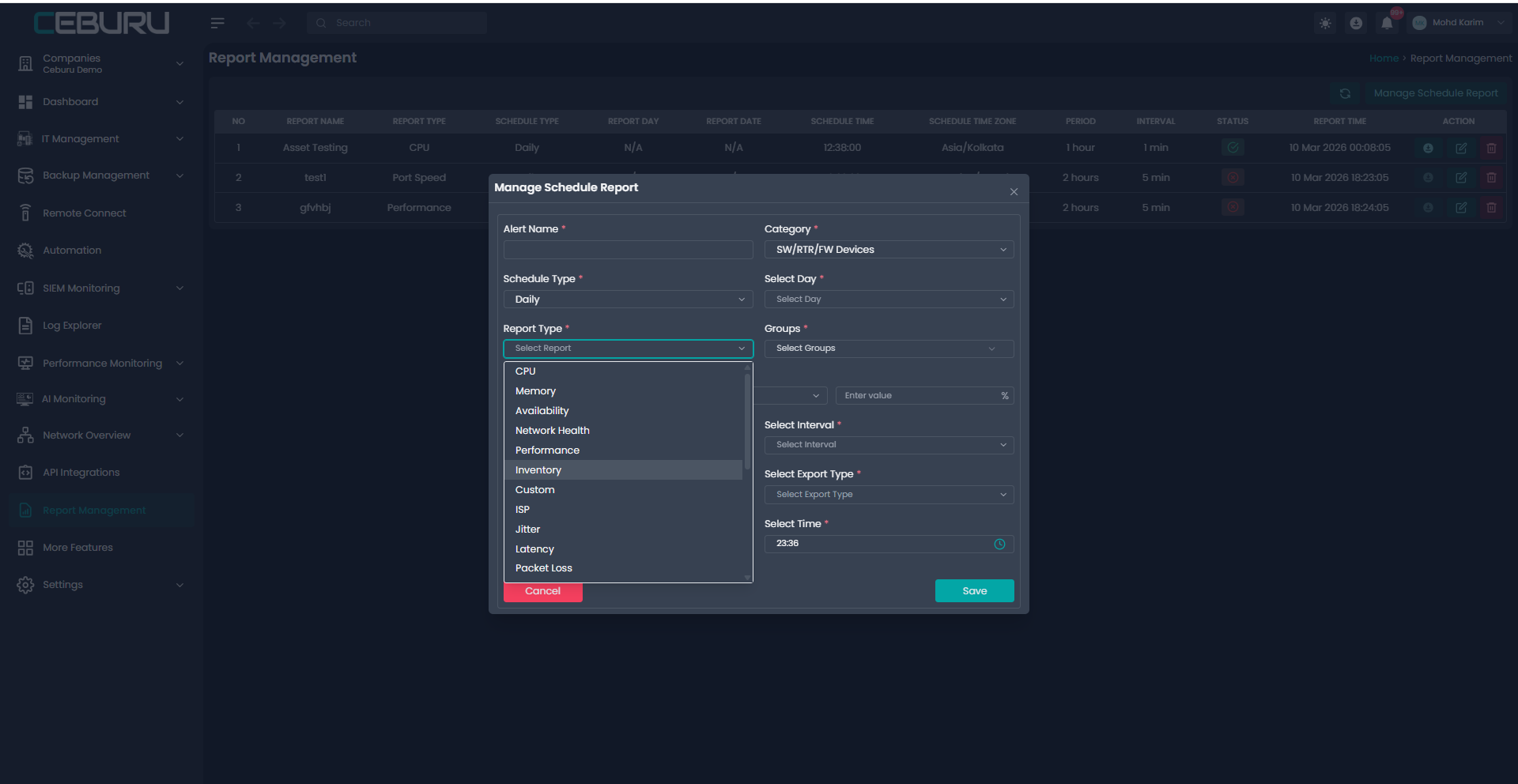
Depending on the Category the Report types will be show.
We support:
1. Asset reports
2. SW/RTR/FW Devices reports
3. SW/RTR/FW Interface reports
User can select which report type they want to schedule based on the category they want.
Managing Existing Reports
From the Actions column, users can:
Download - Manually download the latest generated report
Edit - Modify schedule details such as time, group, or report type
Delete - Remove an existing scheduled report
All changes are applied immediately and reflected in the dashboard.
The Report Management feature in Ceburu simplifies operational reporting by allowing users to schedule and manage recurring reports efficiently. With flexible scheduling, multiple report types, and easy download options, it ensures critical monitoring data is always available to the right stakeholders at the right time.
Was this article helpful?
That’s Great!
Thank you for your feedback
Sorry! We couldn't be helpful
Thank you for your feedback
Feedback sent
We appreciate your effort and will try to fix the article